
Parking Kiosk Integration: How to Plan the Controller and Peripheral Architecture

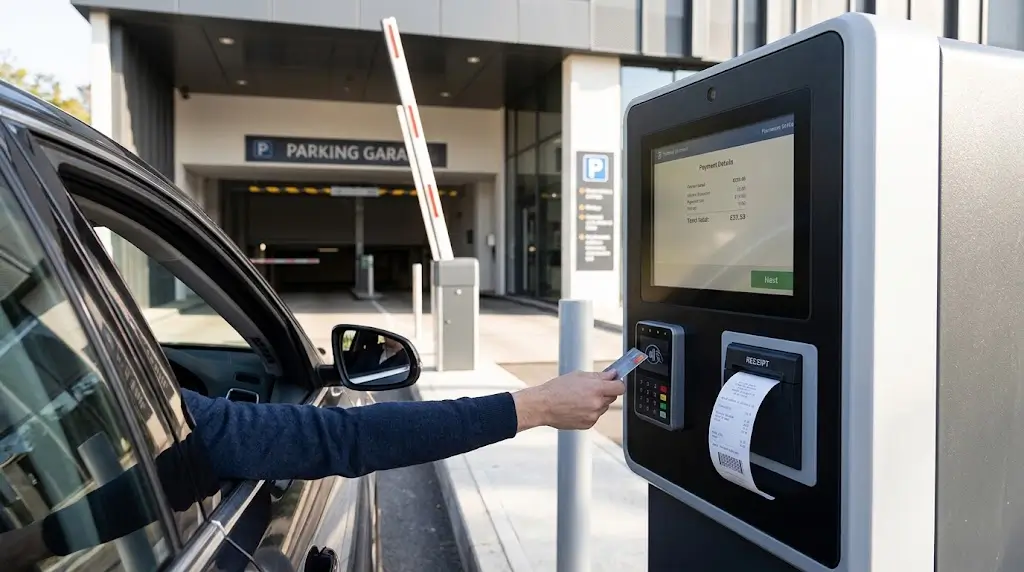
A parking kiosk is rarely a single-purpose device.
A typical parking payment or self-service terminal may need to coordinate a touchscreen, industrial PC, receipt printer, QR or barcode scanner, payment terminal, card reader and network connection. Depending on the parking system, it may also exchange data with license plate recognition, barrier control or a parking management platform.
The integration challenge is therefore not simply:
“Which hardware components should we buy?”
A more important question is:
How should the kiosk controller communicate with each peripheral, and how should the application coordinate them as one transaction?
For system integrators, this means planning the parking kiosk integration architecture before finalizing the industrial PC, peripheral interfaces or software development path.
This guide explains how to map the controller, I/O interfaces, peripheral devices and software dependencies of a parking kiosk without mixing device control with parking business logic.
Quick Answer
A parking kiosk should be designed from the transaction workflow and peripheral architecture first.
A simplified architecture may look like:
User / Vehicle
↓
Touchscreen / Kiosk Application
↓
Industrial PC / Controller
↓
Printer + Scanner + Card Reader + Payment Terminal
↓
Network / Parking Backend / External Systems
Before selecting the industrial PC or other hardware, system integrators should identify:
- which peripherals are required;
- which interfaces each device uses;
- which drivers, SDKs or protocols are required;
- which operating system will run the application;
- which device states must be monitored;
- how transaction failures will be handled;
- how the kiosk connects to the parking backend.
The key principle is:
Workflow → Peripheral Map → I/O Architecture → Software Integration → Prototype Testing
Not:
Buy the controller first and connect the peripherals later.
1. Start with the Parking Transaction Workflow
Before selecting hardware, define what the kiosk actually needs to do.
A parking payment workflow may conceptually include:
Identify Parking Session
↓
Retrieve or Calculate Parking Fee
↓
Select Payment Method
↓
Process Payment
↓
Confirm Transaction Result
↓
Print Receipt or Required Document
↓
Update Parking System
The exact sequence depends on the parking platform.
For example, a parking session might be identified using:
- a license plate number;
- printed ticket or barcode;
- QR code;
- parking card;
- membership credential;
- transaction reference.
A license-plate-based system may retrieve the parking session from an LPR or parking management platform, while a ticket-based system may require the user to scan a printed credential.
This matters because the workflow determines which peripherals are actually required.
A kiosk should therefore not be designed from a generic hardware list.
Start with the transaction. Then determine which hardware is required to execute each step.
2. Map Every Peripheral Before Selecting the Controller
Once the transaction workflow is clear, create a peripheral map.
For example:
| Device | Main Role | Interface to Confirm | Software Dependency |
|---|---|---|---|
| Touchscreen | User interaction | Platform-specific | OS / application |
| Kiosk Printer | Receipt or document output | USB / RS232 depending on model | Driver / SDK / protocol |
| QR / Barcode Scanner | Ticket or code input | Device-specific | HID / serial / SDK depending on device |
| Card Reader | Credential input | Model-specific | SDK / protocol depending on model |
| Payment Terminal | Payment processing | Provider-specific | Payment provider / terminal interface |
| Network | Backend communication | Ethernet / Wi-Fi depending on architecture | Network / backend |
| LPR / Barrier System | Parking-system function | Project-specific | Parking platform / API |
This table should be project-specific.
Do not assume that every scanner uses USB HID, every printer uses USB, or every payment terminal communicates in the same way.
The objective is to answer four questions for every device:
What does it do?
How is it physically connected?
How does the application communicate with it?
What happens if it becomes unavailable?
Only after those questions are answered should the controller specification be finalized.
Commercial parking platforms commonly combine payment kiosks with printing, payment, access-control and local/edge computing components.
3. The Industrial PC Is the Local Coordination Layer
In many parking kiosk architectures, an industrial mini PC or embedded controller provides the local computing platform.
It may run the kiosk application and connect multiple peripherals such as:
- touchscreen;
- kiosk printer;
- QR/barcode scanner;
- card reader;
- payment terminal;
- network;
- other project-specific devices.
But an important system boundary should be maintained:
The industrial PC is not automatically the parking backend.
The local controller may run the kiosk application and coordinate hardware, while parking records, pricing rules, user accounts, payment data or parking-session information may be managed by other systems.
A useful conceptual separation is:
Parking Backend / Management Platform
↕
Kiosk Application
↕
Industrial PC / Local Controller
↕
Peripheral Hardware
In some implementations, the kiosk application and hardware-control functions run on the same industrial PC. In others, additional middleware or controllers may be involved.
The exact architecture is project-specific.
4. Count the I/O Requirements Before Choosing the Industrial PC
CPU, memory and storage are important, but they are not the only specifications that matter in a kiosk controller.
For a multi-peripheral kiosk, I/O planning can be just as important.
Before choosing the industrial PC, count the actual requirements for:
- USB ports;
- RS232 / COM ports;
- Ethernet ports;
- display outputs;
- touchscreen connection;
- wireless connectivity if required;
- expansion requirements.
For example, a project may need separate connections for:
Printer + Scanner + Payment Terminal + Card Reader + Touchscreen + Network
If the controller is selected before these devices are confirmed, the project may later depend on extra hubs, adapters or interface converters that were not part of the original architecture.
A better approach is:
Peripheral Requirements → Interface Map → Controller I/O Requirements → Industrial PC Selection
not:
Industrial PC Selection → Find a Way to Connect Everything
For this reason, the number and type of peripheral interfaces should be confirmed before the kiosk controller hardware is frozen.
5. Physical Interface and Software Integration Are Different Decisions
Connecting a cable does not complete hardware integration.
For example, a kiosk printer may connect to the controller through USB or RS232.
But the application still needs to know how to control it.
These are different layers:
USB / RS232 = Communication Interface
Driver / SDK / Protocol = Software Integration Layer
The same principle applies to other kiosk peripherals.
For a printer, the architecture may conceptually look like:
Parking Application
↓
Driver / SDK / Direct Commands
↓
USB / RS232
↓
Printer
Therefore, seeing an available USB port on both the PC and peripheral does not prove that the complete software integration is ready.
The project should also confirm:
- driver availability;
- SDK/API availability where required;
- communication protocol;
- operating-system support;
- application development environment;
- required status and control functions.
For printer-specific interface planning, see our USB vs RS232 kiosk printer integration guide and kiosk printer SDK vs driver vs ESC/POS guide.
6. Treat the Printer as an Output Subsystem
In a parking payment kiosk, the thermal printer may be used for transaction receipts or other workflow documents.
The software relationship can be represented as:
Parking Application
↓
Printer Software Layer
↓
Communication Interface
↓
Kiosk Printer
↓
Printed Output
The printer should not be treated as an isolated accessory.
The project may need to confirm:
- receipt width and layout;
- text, graphics, QR or barcode requirements;
- cutter operation;
- presenter requirement where applicable;
- paper capacity;
- communication interface;
- driver / SDK / protocol;
- printer status;
- mechanical installation;
- paper exit;
- service access.
The application may also need to know whether the printer is available before or during a transaction.
This is particularly important in unattended equipment.
Sending a print command does not by itself prove that the required document was successfully produced and delivered.
Where the transaction requires printer feedback, the host application should use the status information actually supported by the selected printer and software interface.
See our kiosk printer status monitoring guide for this part of the architecture.
7. Keep Payment Integration as a Separate Domain
A parking payment kiosk may contain a card payment terminal, QR payment device, cash module or other payment hardware depending on the project.
Payment integration should remain logically separate from general peripheral control.
A useful distinction is:
Parking Application ≠ Payment Terminal ≠ Payment Processor
The kiosk application may initiate or coordinate a payment transaction, but the payment terminal and payment provider have their own supported integration architecture, security requirements and transaction states.
The exact interface depends on the selected payment provider and terminal.
For this reason, the kiosk controller should not be selected on the assumption that:
“It has USB, so the payment terminal will work.”
Instead, confirm the actual integration requirements with the payment terminal or payment solution provider.
This may include:
- physical interface;
- supported operating system;
- API or SDK;
- network requirements;
- certification requirements;
- transaction-result handling.
The parking application then coordinates the payment result with the rest of the kiosk workflow.
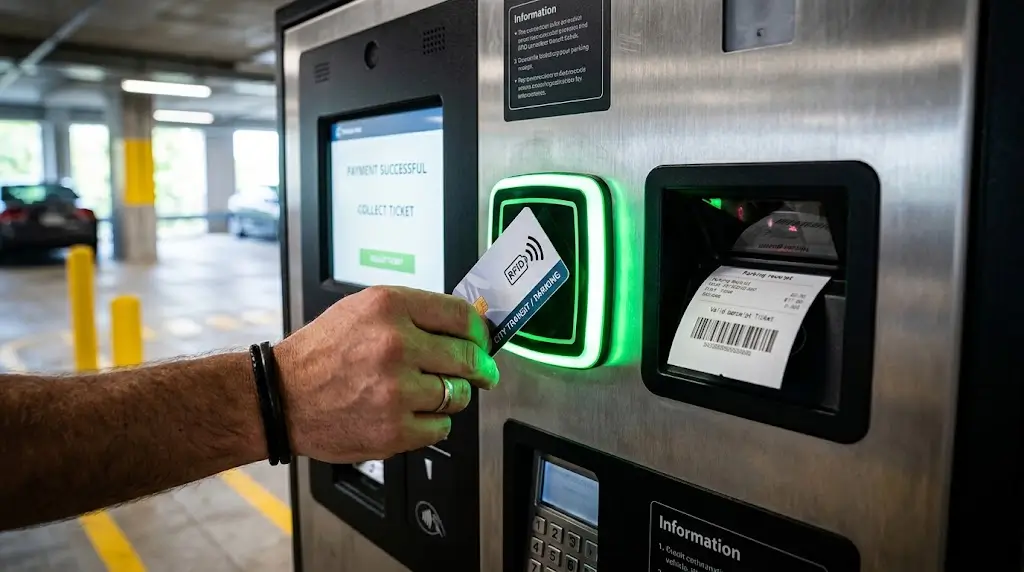
8. A Parking Card Reader Is Not Necessarily a Payment Card Reader
The term card reader can create confusion in kiosk projects.
A parking kiosk may use a standalone card reader for:
- parking membership credentials;
- RFID identification;
- access credentials;
- stored-value or project-specific cards.
This is different from the bank-card reader or contactless payment reader integrated into a payment terminal.
Therefore:
Access or identification card reading and bank-card payment are different integration domains.
If the parking project needs a standalone RFID, magnetic stripe or IC card reader for identification or application-specific cards, the card reader should be selected according to the actual credential technology and host integration requirements.
If the requirement is payment-card acceptance, the payment terminal architecture and payment provider requirements should be followed instead.
This distinction should be made before the kiosk hardware specification is finalized.
9. Where Does the QR or Barcode Scanner Fit?
A scanner is normally an input device.
Depending on the parking workflow, it may be used to read:
- parking tickets;
- QR codes;
- validation codes;
- vouchers;
- membership codes;
- transaction references.
The basic relationship is:
Printed / Digital Code
↓
Scanner
↓
Kiosk Application
↓
Parking System
The scanner normally provides data to the application.
The application then decides what that data means in the parking workflow.
For example, successfully reading a QR code does not automatically mean that:
- the parking session exists;
- the code is valid;
- payment has been completed;
- the vehicle is authorized to exit.
Those are application or backend decisions.
This distinction becomes important when designing error handling.
10. How Does LPR Fit into the Parking Kiosk Architecture?
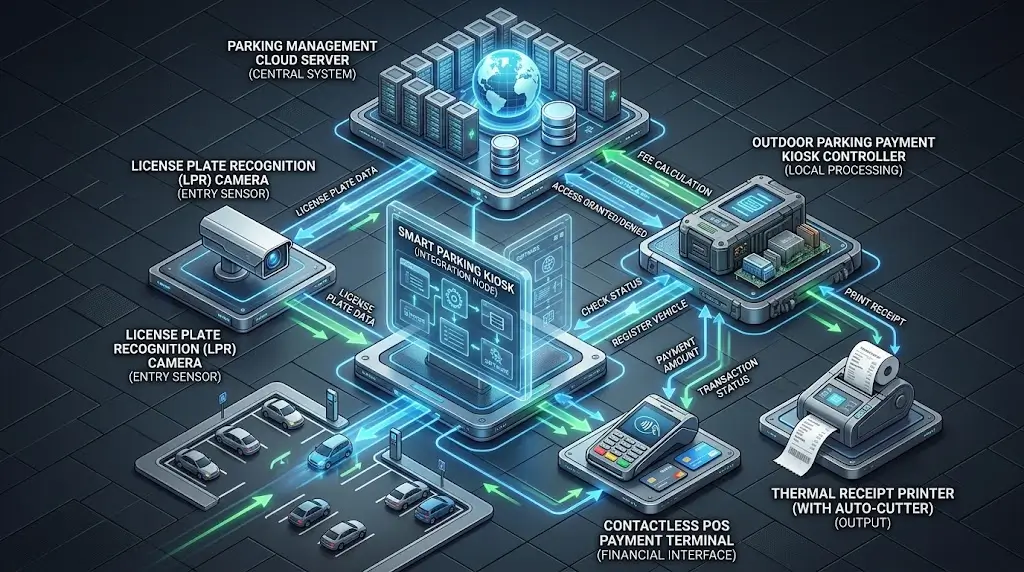
License plate recognition can be another part of the parking system, but it should not automatically be treated as a peripheral directly controlled by the kiosk.
A conceptual architecture may be:
Camera / LPR System
↓
Parking Platform / Backend
↓
Parking Session
↓
Kiosk Application
For example, a user may enter a license plate number at the kiosk and the application may request the corresponding parking session from the parking platform.
Another system may use a different architecture.
The important point is:
The kiosk does not necessarily need to perform license plate recognition locally.
Whether LPR processing runs locally, at the edge or through a central parking platform depends on the parking system design.
The kiosk integration should therefore define the interface with the parking platform rather than assuming a specific LPR architecture.
11. Device Status Is Not the Same as Transaction Status
This is one of the most important distinctions in unattended kiosk software.
Consider these states:
Printer Ready
Scanner Connected
Payment Successful
Parking Session Updated
Exit Authorized
They are not equivalent.
For example:
Printer Ready ≠ Payment Successful
and:
Payment Successful ≠ Receipt Successfully Printed
and:
Receipt Printed ≠ Parking Backend Successfully Updated
The kiosk application should therefore distinguish between:
Device State
Is the hardware available and operating as expected?
and:
Transaction State
What stage has the parking transaction reached?
This distinction makes recovery logic much clearer.
A peripheral may be working correctly while the business transaction fails elsewhere.
Likewise, a payment transaction may succeed while another device becomes unavailable afterward.
12. Plan Error Recovery Before Deployment
A production kiosk should not only define the normal workflow.
It should also define what happens when one stage fails.
Consider several examples.
Scenario A: Payment succeeds, but receipt printing fails
The system should distinguish the confirmed payment result from the printer failure.
The appropriate business response depends on the parking application and payment architecture.
Scenario B: The scanner reads a ticket, but the parking session cannot be retrieved
The scanner may be operating correctly even though the transaction cannot continue.
Scenario C: The printer receives a command but the host does not receive the expected response
The application should avoid assuming either:
“Nothing happened.”
or:
“The receipt definitely printed.”
without sufficient device feedback.
Scenario D: Network communication is interrupted
The kiosk should follow the recovery behavior defined by the parking system architecture rather than treating all connected peripherals as failed.
This leads to a useful engineering principle:
Identify the failed layer before deciding the recovery action.
Hardware state, communication state and business transaction state should not be collapsed into one generic “error.”
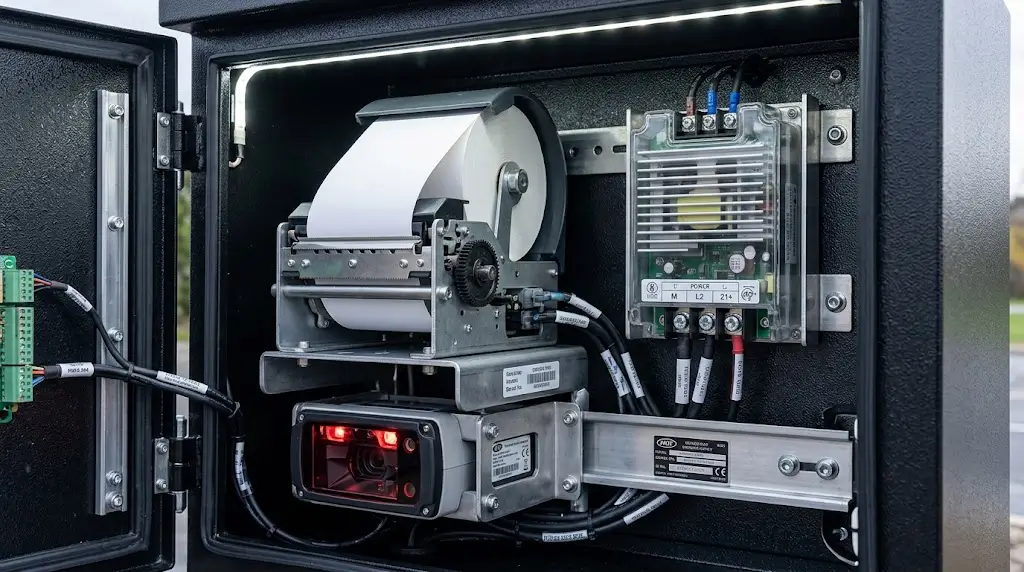
13. Outdoor Parking Kiosks Need System-Level Environmental Design
Many parking kiosks operate outdoors or in semi-outdoor environments.
That does not mean every component inside the cabinet must independently carry the same outdoor protection rating as the complete kiosk enclosure.
The kiosk design may need to address:
- rain ingress;
- dust;
- humidity;
- condensation;
- operating temperature;
- solar heat;
- ventilation or thermal management;
- cable protection;
- service-door sealing.
Therefore:
Outdoor kiosk protection is a system-level design requirement.
The enclosure, installation method and internal environmental design should protect the selected electronics according to their actual operating specifications.
Do not assume that placing a standard internal peripheral into an outdoor cabinet automatically makes the complete system suitable for the deployment environment.
Likewise, do not assume that every internal component requires the same IP rating as the finished kiosk.
The complete enclosure and environmental architecture should be validated as a system.
14. Design the Kiosk for Maintenance, Not Only Assembly
A CAD model can show that the hardware fits inside the enclosure.
That does not prove that technicians can maintain it efficiently.
For each peripheral, consider:
- How is the device installed?
- How is it removed?
- Can cables be reached?
- Can the printer paper be replaced easily?
- Is there enough space to open covers or mechanisms?
- Can a failed module be replaced without removing unrelated hardware?
- Are connectors accessible during troubleshooting?
For a printer, the project should also consider the complete paper path from the printer to the cabinet opening.
For the industrial PC, technicians may need access to USB, COM, LAN, power and display connections.
For scanners and readers, the installation should maintain the required scanning or card-access geometry.
Hardware that fits is not necessarily hardware that can be serviced.
Mechanical integration and maintenance access should therefore be reviewed together.
15. Prototype the Complete Parking Transaction
Individual device testing is necessary, but it is not sufficient.
A printer test page proves that the printer can print.
A scanner demo proves that the scanner can read a code.
A payment-terminal demo proves something about the payment integration.
None of these alone proves that the parking kiosk works as a complete system.
The prototype should test the actual transaction path, for example:
Identify Parking Session
↓
Retrieve Fee
↓
Initiate Payment
↓
Confirm Payment Result
↓
Generate / Print Receipt
↓
Update Parking System
↓
Complete Transaction
Depending on the project, testing should also cover abnormal conditions such as:
- printer unavailable;
- paper-out condition;
- scanner communication loss;
- invalid ticket or code;
- payment failure;
- network interruption;
- peripheral reconnection;
- application restart;
- repeated transactions.
The purpose is not only to determine whether each device works.
It is to determine whether the complete kiosk can maintain a known transaction state when something does not work.
16. SNROKIOSK Hardware Building Blocks for Parking Kiosk Integration
SNROKIOSK focuses on the hardware building blocks used by kiosk manufacturers and system integrators rather than the complete parking management software platform.
Depending on the project architecture, relevant hardware may include:
| Hardware Layer | SNROKIOSK Integration Direction |
|---|---|
| Industrial Controller | SNR-IBC-N8 fanless industrial mini PC |
| Receipt / Ticket Printing | SNR-KP802-VX or SNR-KP800-VX depending on output architecture |
| Card Credential Reading | SNR-MR100 / SNR-MR800 depending on card requirement |
| Software Integration | Applicable SDK, API, protocol and driver resources by model |
| Mechanical Integration | 3D drawings and mechanical resources where available |
| Testing | Applicable demo software and test tools |
Third-party components such as payment terminals, scanners, LPR equipment and parking management software should be selected and integrated according to the requirements of the complete parking system.
The objective is not to force every parking project into the same hardware configuration.
It is to define each module’s role and interface clearly enough that the complete system can be integrated and tested before deployment.
Parking Kiosk Integration Checklist
Before finalizing the hardware architecture, confirm:
- Parking workflow: How is the parking session identified and completed?
- Host platform: Windows, Linux, Android or another environment?
- Industrial PC: Are enough USB, COM, LAN and display interfaces available?
- Printer: What receipt or ticket output is required?
- Scanner: What barcode or QR-code workflow is required?
- Card reader: Is it for identification/access or payment?
- Payment terminal: What interface and software integration does the provider require?
- Network: How does the kiosk communicate with the parking backend?
- LPR / barrier integration: Which system controls these functions?
- Software resources: Which drivers, SDKs, APIs or protocols are required?
- Device status: Which peripheral states must the application monitor?
- Transaction state: How does the application distinguish device errors from business errors?
- Recovery: What happens after communication, hardware or network failures?
- Environment: Indoor, semi-outdoor or outdoor?
- Mechanical integration: Are mounting, cable routing and service access validated?
- Prototype: Has the complete transaction been tested end to end?
FAQ
What is parking kiosk integration?
Parking kiosk integration is the process of connecting the kiosk application and controller with required peripherals such as printers, scanners, card readers and payment terminals, while also coordinating communication with the parking management system.
It includes both physical interfaces and software integration.
Does a parking kiosk need an industrial PC?
Many parking kiosks use an industrial PC or embedded controller to run the local application and connect multiple peripherals. The exact controller depends on the operating system, application requirements, I/O requirements and deployment environment.
What interfaces should a parking kiosk industrial PC have?
The required interfaces depend on the selected peripherals. USB, RS232/COM, Ethernet and display connections are common considerations, but the correct configuration should be determined from the actual peripheral map before selecting the controller.
What type of printer can be integrated into a parking kiosk?
The printer should be selected according to the required paper width, receipt or ticket format, cutter or presenter requirements, communication interface, software resources, status requirements, paper capacity and enclosure design.
There is no single printer configuration for every parking kiosk.
Does a parking kiosk need a card reader?
Only when the workflow requires one. A standalone card reader may be used for parking credentials, membership cards, RFID identification or other project-specific cards. Payment-card reading is normally part of the payment-terminal domain and should not automatically be treated as the same function.
How does a parking kiosk connect to a payment terminal?
The connection depends on the payment terminal and payment provider. The project should confirm the physical interface, API/SDK, supported operating system, network requirements and transaction-result workflow with the payment solution provider.
Can a parking kiosk integrate with an LPR system?
Yes, depending on the parking platform architecture. The kiosk may retrieve a parking session associated with a license plate through the parking backend or another supported interface. LPR processing does not necessarily need to run locally on the kiosk.
What should be tested before deploying a parking kiosk?
Test the complete transaction rather than only individual devices. This includes parking-session identification, payment, receipt output, backend updates, peripheral status, communication failures, recovery behavior and repeated transactions.
Plan the Integration Architecture Before Freezing the Hardware
A reliable parking kiosk architecture starts with the transaction workflow.
From there:
Define the Workflow
↓
Map the Peripherals
↓
Confirm Physical Interfaces
↓
Confirm Drivers / SDKs / Protocols
↓
Select the Controller
↓
Design the Enclosure
↓
Prototype the Complete Transaction
This sequence reduces the risk of discovering late in the project that the industrial PC lacks the required ports, a peripheral does not support the selected operating system, or two devices require different software architectures.
For system integrators, the goal is not simply to make every peripheral communicate.
The goal is to make the kiosk maintain a predictable transaction state while all of those peripherals work together.
Discuss Your Parking Kiosk Integration
Developing a parking payment kiosk, ticket terminal or other self-service parking equipment?
Send us your host operating system, controller requirements, printer requirements, peripheral list, communication interfaces and kiosk layout.
We can help evaluate suitable SNROKIOSK hardware building blocks and provide applicable SDK/API resources, communication protocols, test tools and 3D drawings for integration.