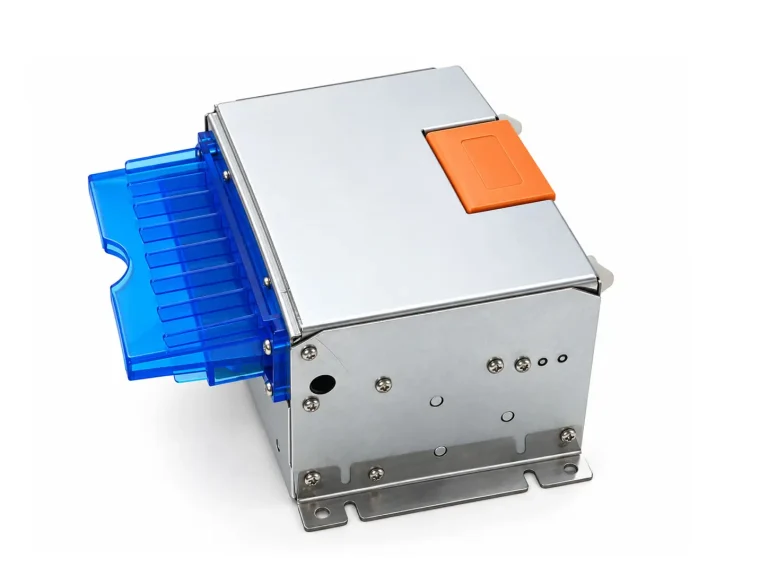
SNR-KP83H Fan-fold Thermal Ticket Printer
Fan-fold thermal ticket printer supporting 51–83mm paper, 80–250μm thick media, automatic feeding and full cutting for self-service ticketing systems.

Kiosk printers are embedded thermal printer modules designed for self-service terminals where reliable receipt or ticket printing, compact installation and controlled paper handling are required. SNROKIOSK provides 58/60mm and 80mm kiosk printer solutions with different paper-exit, presenter and mechanical integration configurations.
Our kiosk printers are mainly used by kiosk manufacturers, system integrators and solution providers for parking, ticketing, payment, self-checkout, healthcare and other unattended terminal projects.
The right printer should be selected according to paper width, receipt or ticket format, paper-exit method and the mechanical structure of the kiosk:
We provide communication protocols, SDK/demo software, test tools and 3D mechanical drawings to support printer control, software development, prototype testing and kiosk enclosure design.
SDK & API Resources
·
Test Tools
·
3D Drawings
Need help selecting a kiosk printer?
Send us your paper width, receipt or ticket size, required paper-exit method, host operating system, interface and available installation space. We can recommend a suitable printer configuration for your project.
Fan-fold thermal ticket printer supporting 51–83mm paper, 80–250μm thick media, automatic feeding and full cutting for self-service ticketing systems.
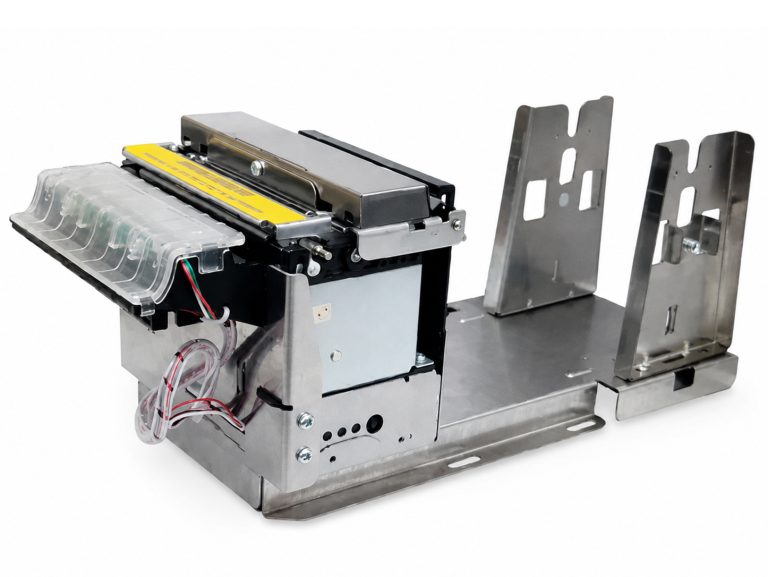
SNR-KP805 is a reliable 80mm kiosk thermal printer with anti-jamming and anti-pulling protection, drop-in paper loading and Ø150mm large-roll support for unattended self-service systems.
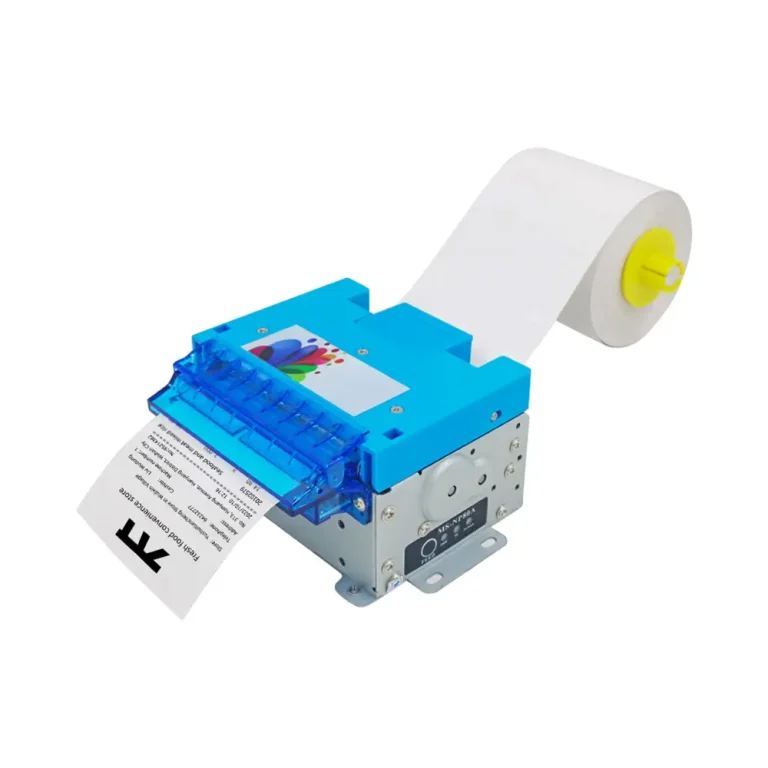
SNR-KP800-VX is an 80mm kiosk thermal printer with anti-drag ticket protection, 250mm/s printing, smart ticket detection and flexible paper roll mounting for unattended self-service systems.
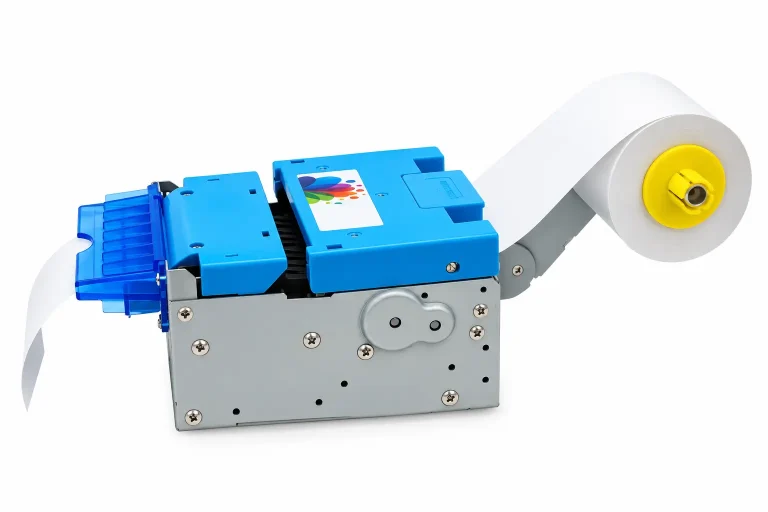
SNR-KP802-VX is an 80mm kiosk thermal printer with integrated presenter and retract function, supporting RS232C and USB 2.0 communication for unattended self-service kiosks, ticketing, parking and payment terminals.
Selecting a kiosk printer is not only a question of paper width or printing speed. The printer, paper path, host system and kiosk enclosure need to work together as one system. Before prototype integration, confirm the document format, paper-delivery method, communication method and mechanical installation requirements.
Confirm whether the project requires 58/60mm or 80mm paper and whether standard thermal roll paper or application-specific ticket media will be used. Paper thickness and media format can affect printer selection and paper handling.
Check the shortest and longest document that the kiosk needs to print. Very short tickets can be more difficult to cut, transport and deliver reliably, especially when additional paper paths or presenter mechanisms are involved.
Decide whether the completed receipt should be controlled inside the printer before presentation, or whether a standard direct paper-exit structure is sufficient for the application.
Consider paper-roll diameter, loading direction and the space required for paper replacement. The printer should remain accessible after it is installed inside the kiosk enclosure.
Confirm the host operating system, available USB or serial interfaces, printer-control method and whether the application needs status monitoring, error handling or direct command control.
Check the mounting points, printer orientation, paper outlet position, cabinet opening, cable routing and maintenance clearance before the enclosure design is frozen.
The paper-delivery method is one of the most important differences between kiosk printer configurations. It affects not only the printer itself, but also how the front panel and paper outlet should be designed.
A presenter controls the completed receipt or ticket at the printer level before delivering it toward the user. Printing and cutting can be completed before the document is presented.
This type of architecture is useful for unattended terminals where controlled document delivery is important. The SNR-KP802-VX is designed for this type of application.
With a direct-output printer, the receipt moves toward the outlet as part of the normal printing and cutting process without a presenter mechanism.
The SNR-KP800-VX and SNR-KP805 are suitable for projects where a simpler embedded paper-delivery structure is preferred.
A presenter does not replace correct enclosure design. The printer outlet, bezel or paper guide, front-panel opening and user collection position still need to be aligned correctly. Likewise, anti-pull or anti-jam functions on selected printer models should not be treated as the same function as a presenter.
Related guides: Presenter vs Retract · Kiosk Printer Paper Exit Design
Printer integration has two separate layers: the physical communication interface and the method used by the host application to control printing. A USB or RS232 connection only defines how the devices communicate physically; the application still needs an appropriate driver, command set, SDK or direct printing method.
Common for Windows, Android and Linux kiosk platforms where the printer is installed close to the host controller. The actual integration method depends on the operating system and printer configuration.
Useful when the host application needs direct serial communication, command control or straightforward communication troubleshooting during kiosk integration.
Suitable when the kiosk application can print through the operating system's standard printer framework and does not require deeper hardware-level control.
Useful when the application needs direct control of printing, cutting, printer status or other supported device functions without relying only on a standard desktop print workflow.
For unattended kiosks, communication success should not be treated as proof that the complete print transaction succeeded. The host application should also consider printer status, paper condition, cutter state and application-level error handling according to the capabilities of the selected model.
Development resources: SDK & API · Printer Test Tools · 3D Drawings · Driver vs SDK vs ESC/POS Guide
A printer can work correctly on a test bench and still experience paper-delivery problems after installation. Once the printer is mounted inside a kiosk, the receipt may need to pass through a bezel, paper guide, front-panel opening or other enclosure structure before reaching the user.
Keep this path as short and smooth as practical. Avoid unnecessary bends, sharp edges, poorly aligned openings and insufficient clearance around the paper outlet. The final enclosure should be validated with the actual printer, paper and receipt format before production.
These technical guides cover common questions that appear during kiosk printer selection, enclosure design and software integration.
Understand why very short receipts and tickets can be difficult to transport, cut and deliver reliably in an unattended terminal.
Read Guide → Mechanical IntegrationPlan the printer outlet, paper guide, cabinet opening and enclosure geometry as one complete document-delivery path.
Read Guide → Software IntegrationCompare common methods for controlling a kiosk printer from the host application and choose an approach that matches the required software architecture.
Read Guide → Printer SelectionUnderstand the difference between presentation, retraction, cutting, ticket-taken detection and other paper-handling functions.
Read Guide →Print entry tickets, payment receipts and transaction documents in parking entry, exit and payment terminals.
Parking Kiosk Solution →Print tickets and transaction receipts in transportation, event and other automated ticketing terminals.
Ticketing Kiosk Solution →Provide customer receipts in retail self-checkout systems with either controlled presentation or standard embedded printing.
Self-Checkout Solution →Print registration receipts, queue tickets and transaction documents in patient self-service and healthcare terminals.
Healthcare Kiosk Solution →A presenter manages the completed receipt or ticket before it is delivered toward the user. A standard embedded printer normally feeds the paper directly toward the outlet during the printing and cutting process. The correct choice depends on the required paper-delivery workflow and kiosk enclosure design.
No. Paper width should be selected according to the receipt or ticket format, available installation space and application requirements. Compact kiosks may use 58/60mm paper, while many receipt and ticket applications use 80mm paper.
Very short documents have less paper available for the cutter, rollers, presenter or external paper path to control. Minimum practical ticket length therefore depends on the selected printer, paper-delivery architecture and kiosk enclosure.
Compatible models can be integrated using available drivers, SDK resources, command-based control or ESC/POS-compatible methods depending on the printer, operating system and application architecture. The integration method should be confirmed for the selected model.
Yes. 3D mechanical drawings are available for compatible kiosk printer models to support mounting verification, enclosure design and paper-path planning. Always verify the model and hardware version before finalizing the enclosure.
Please provide the required paper width, receipt or ticket size, paper type, required paper-delivery method, host operating system, communication interface, available installation space and estimated project quantity.
More technical questions are available in our Kiosk Hardware FAQ.
Send us your paper width, receipt or ticket size, paper-delivery requirement, host platform, interface and available installation space. We can help evaluate the appropriate kiosk printer configuration and provide SDK, test tools and mechanical resources for prototype integration.