
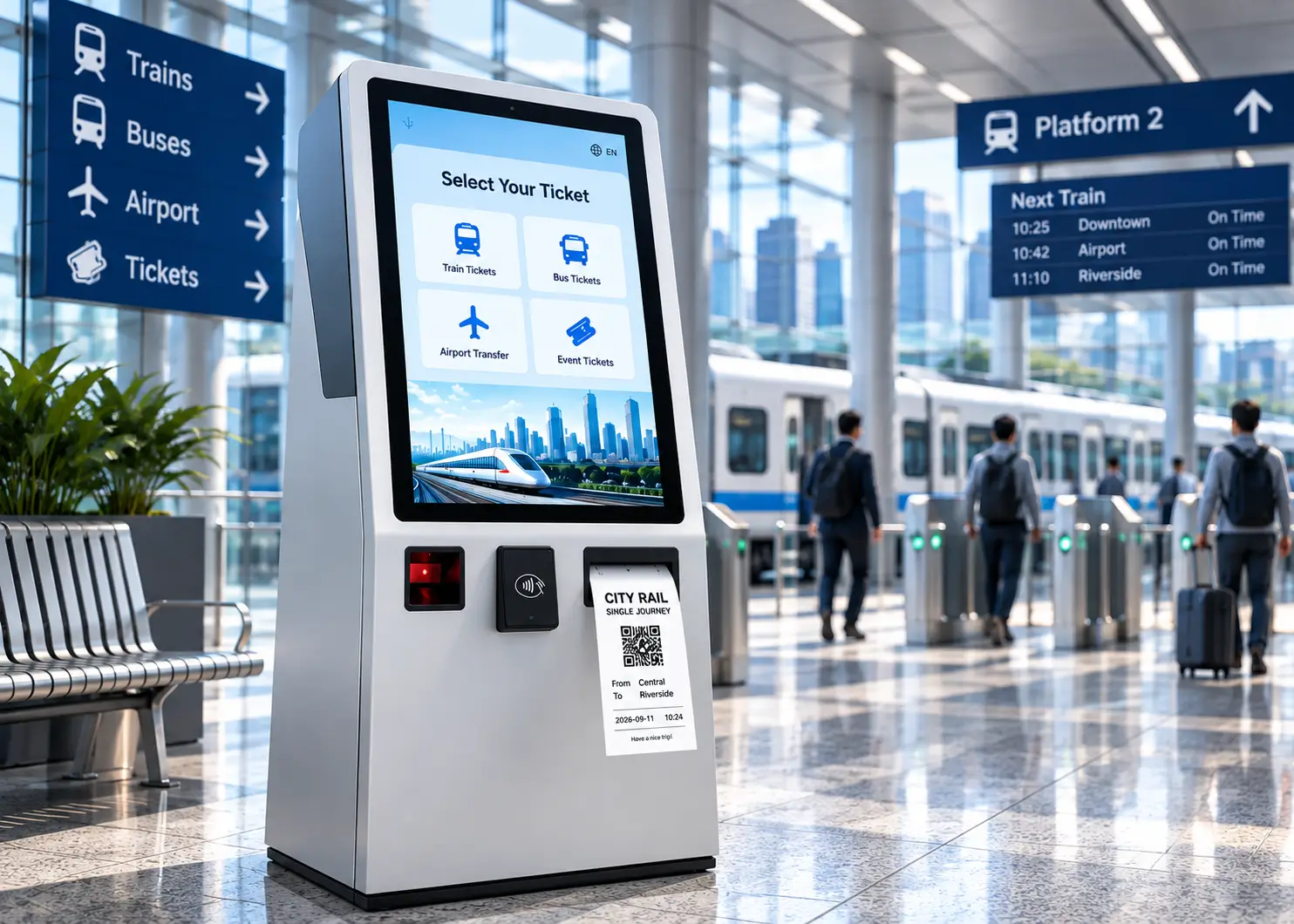
SELF-SERVICE TICKETING
Self-Service Ticketing Kiosk Hardware Solution
Build reliable self-service ticketing terminals with integrated thermal printers, card handling devices and industrial computing hardware.
SNROKIOSK supports kiosk manufacturers and system integrators with hardware selection, mechanical integration and software development resources for automated ticket issuing applications.
Hardware for Different Ticketing Applications
Self-service ticketing terminals are used across different environments, and the hardware configuration depends on the ticket format, transaction workflow and installation requirements.
Transportation Ticketing
Self-service terminals for railway stations, bus terminals, metro systems and other passenger transport environments.
Attraction & Venue Ticketing
Automated ticket issuing for museums, theme parks, exhibitions, stadiums and visitor attractions.
Cinema & Entertainment
Self-service ticket purchase, collection and receipt printing for cinemas and entertainment venues.
Queue & Service Ticketing
Ticket and queue number printing for banks, hospitals, government offices and service centers.
How a Self-Service Ticketing Kiosk Works
A self-service ticketing kiosk connects the user interface, ticketing software and peripheral hardware into one automated transaction workflow.
01 — Select Ticket or Service
The user selects a route, event, service or ticket type through the kiosk touchscreen.
02 — Identify or Scan
The kiosk can read a QR code, barcode, membership credential or other identification information when required.
03 — Payment & Confirmation
The ticketing application processes the transaction and confirms the order or service request.
04 — Generate Ticket Data
The host application generates the ticket, receipt or transaction data to be printed.
05 — Print & Cut
The thermal printer prints the ticket or receipt and performs automatic cutting when required.
06 — Deliver the Ticket
The printed document is delivered directly through the paper outlet or controlled by a presenter, depending on the printer configuration.
Integration Note: SNROKIOSK hardware operates as part of the kiosk hardware layer. Ticketing, payment and transaction logic is normally managed by the customer’s application or ticketing platform.
Typical Ticketing Kiosk Hardware Architecture
A self-service ticketing kiosk typically uses an industrial PC or host controller to connect the ticketing application with printing, scanning, payment and other peripheral hardware.
Ticketing Application / Backend
Manages ticket selection, transaction data, user workflow and backend communication.
Runs the kiosk application and connects the software layer with peripheral hardware through the required interfaces.
Peripheral Hardware Layer
Touchscreen
User interface
QR / Barcode Scanner
Ticket, booking or user identification
Payment Device
Payment processing interface
Ticket Printer
Ticket and receipt printing
Card Reader
Card identification or data processing
Card Dispenser
Physical card issuing when required
The final hardware configuration depends on the ticketing workflow. A basic terminal may require only a host computer, touchscreen, scanner and printer, while payment, card reading or card dispensing modules can be added when required.
SNROKIOSK Hardware Scope
Ticket / Receipt Printers · Card Handling · Card Readers · Industrial Mini PCs
Other peripherals such as touchscreens, scanners and payment devices can be integrated according to the project architecture.
Recommended Self-Service Ticketing Kiosk Hardware
Select the hardware according to the ticket media, delivery method, host platform and application workflow. SNROKIOSK provides embedded printing and industrial computing hardware for different self-service ticketing requirements.
Controlled Ticket Delivery
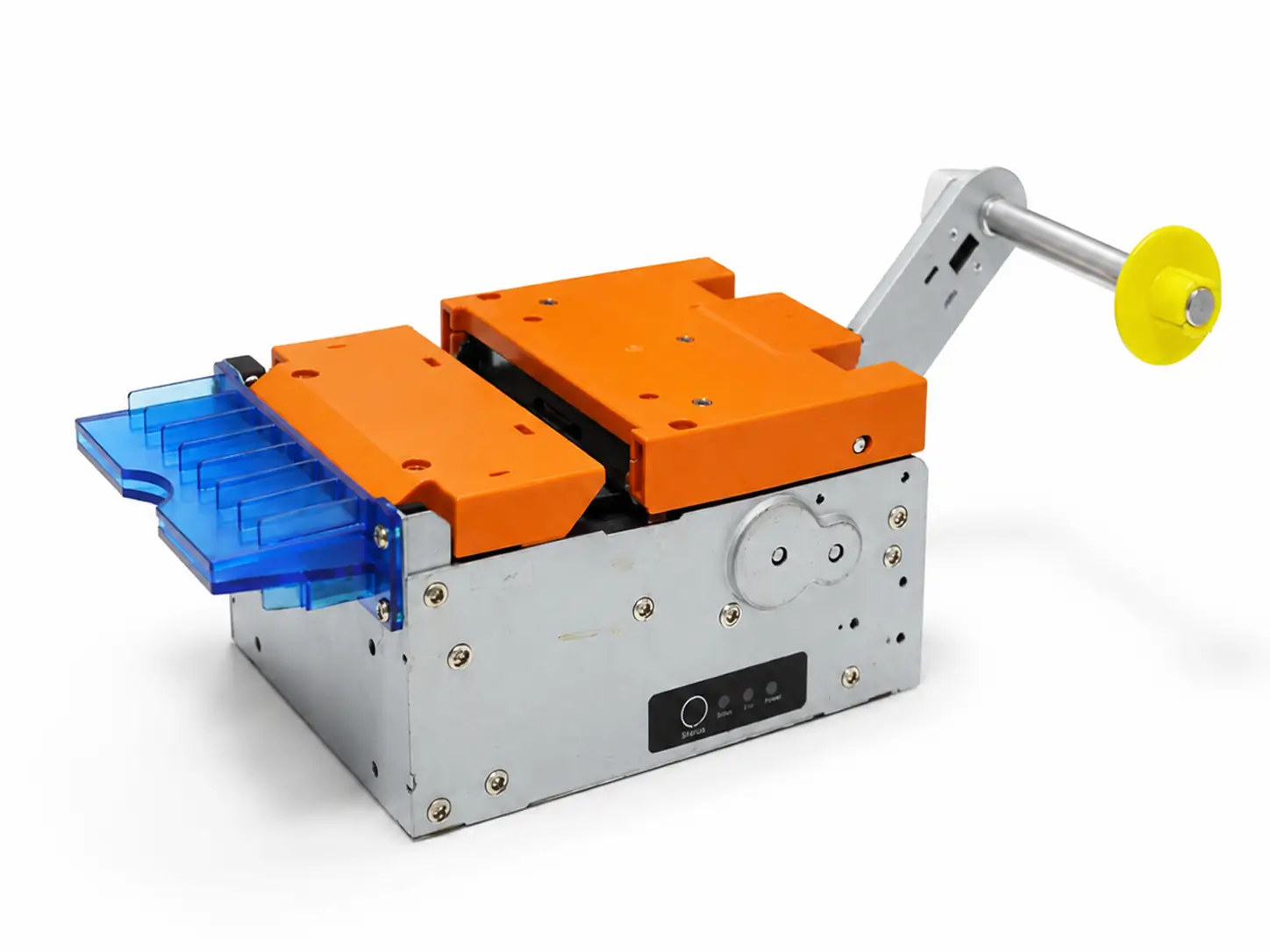
SNR-KP802-VX 80mm Presenter Kiosk Printer
An 80mm embedded thermal printer with presenter for self-service terminals requiring controlled receipt or ticket delivery.
Standard Embedded Printing
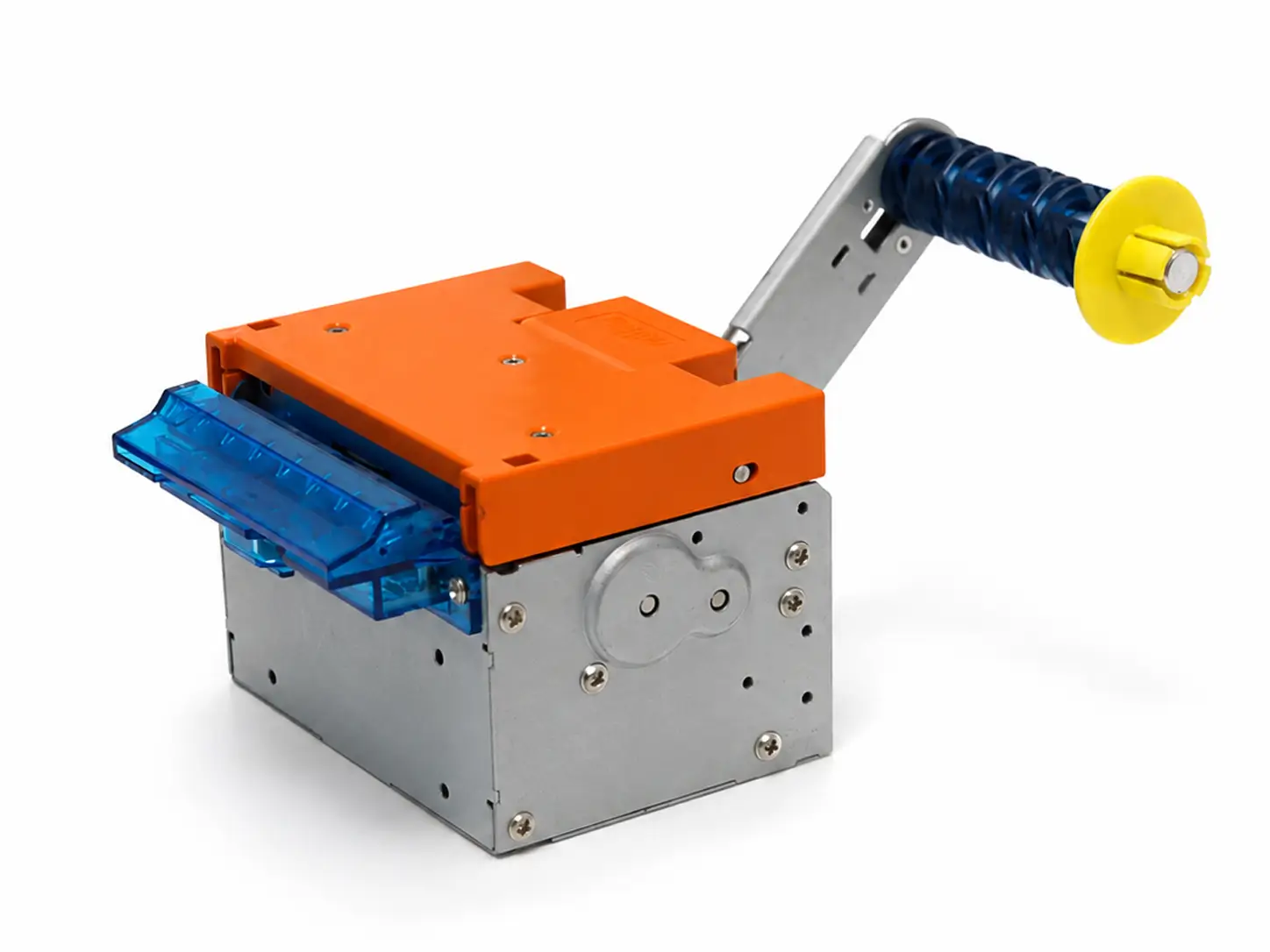
SNR-KP800-VX 80mm Embedded Kiosk Printer
A compact 80mm thermal printing module for ticketing terminals that require reliable embedded printing without a presenter mechanism.
Fan-Fold Ticket Media
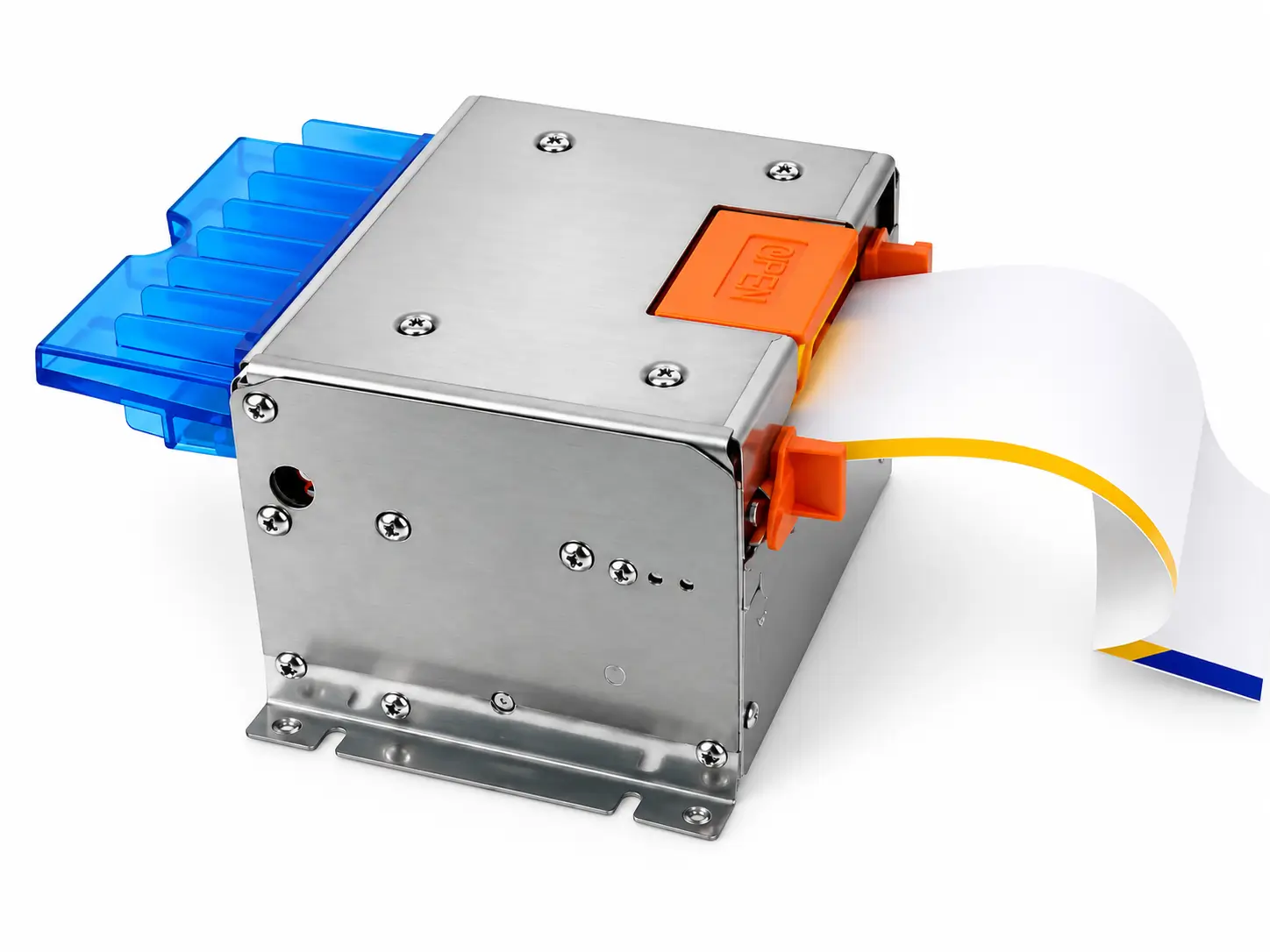
SNR-KP83H Fan-Fold Thermal Ticket Printer
Designed for ticketing applications using fan-fold or ticket-specific media where conventional roll-paper printing is not the preferred format.
Kiosk Host Computing
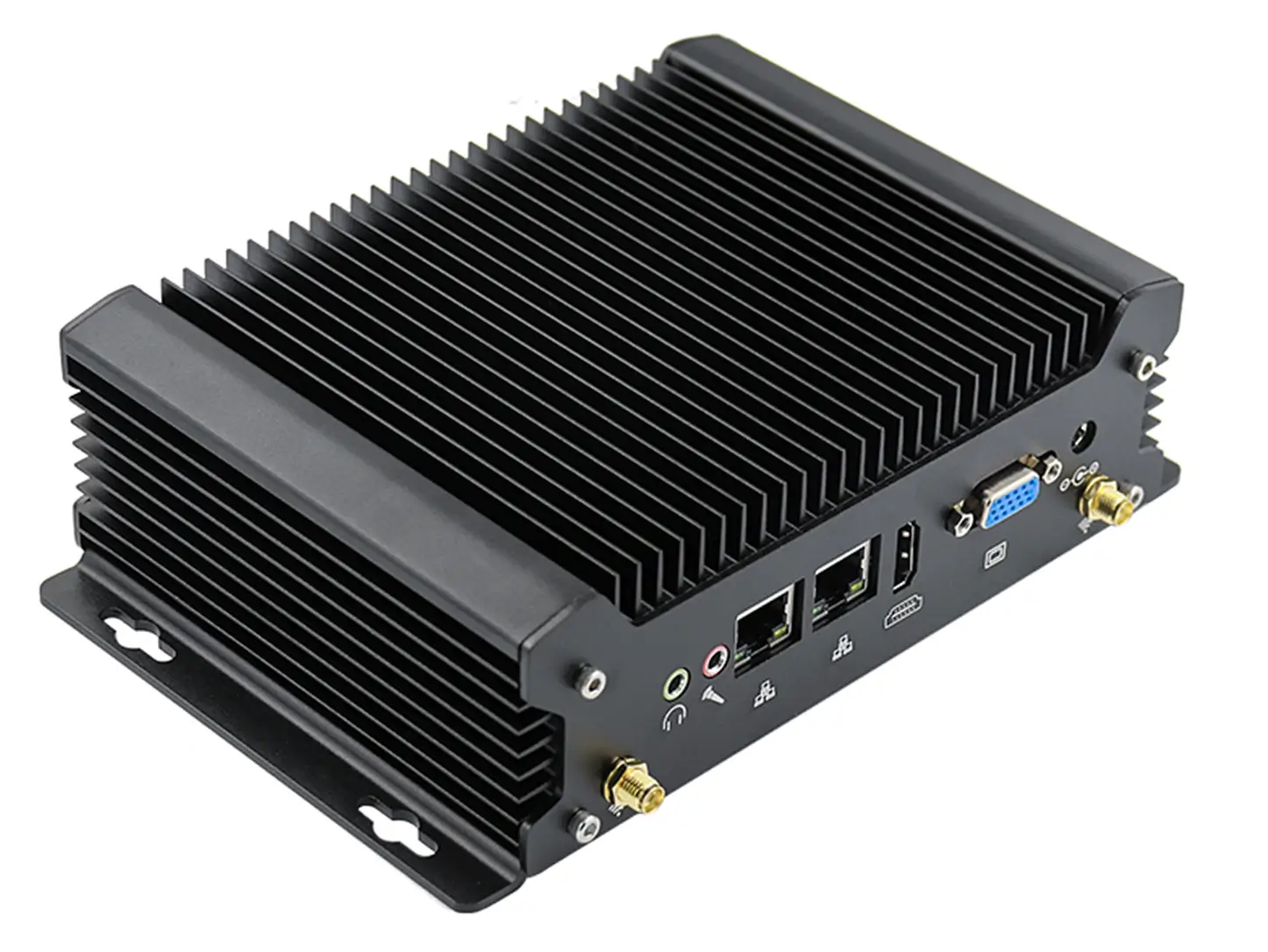
SNR-IBC-N8 Industrial Fanless Mini PC
A compact fanless industrial computing platform for running kiosk applications and connecting printers, scanners and other peripheral hardware.
Optional Card Handling
Some ticketing applications may also require physical card issuing, reading or recycling, such as RFID ticket cards, access cards or membership cards.
Automated physical card issuing and collection for card-based ticketing workflows.
Magnetic stripe, IC and RFID card processing for self-service terminals.
The right printer depends on the ticket format, delivery method, transaction volume and kiosk installation environment. Consider these key factors before selecting a printer.
- Paper Width: 58mm or 80mm according to the ticket layout.
- Media Type: Roll paper or fan-fold ticket media.
- Ticket Delivery: Direct output or controlled delivery with a presenter.
- Cutting: Automatic cutting according to the ticket workflow.
- Paper Capacity: Select according to transaction volume and maintenance frequency.
- Installation Environment: Consider mounting space, service access and indoor or outdoor use.
We provide technical resources to help system integrators evaluate hardware, develop applications and complete mechanical integration.
For transaction-state planning from printing to validation, see our ticket kiosk integration guide.
Ticketing Kiosk FAQ
Common questions about selecting and integrating hardware for self-service ticketing terminals.
What type of printer is suitable for a self-service ticketing kiosk?
The printer should be selected according to the ticket media, paper width, delivery method and transaction volume. Roll-paper thermal printers are commonly used for receipts and standard tickets, while presenter printers are suitable for controlled paper delivery and fan-fold printers are better suited to certain ticket-specific media.
Should I use a roll-paper or fan-fold ticket printer?
Roll-paper printers are suitable for continuous thermal paper and general ticket or receipt printing. Fan-fold printers are more appropriate when the application uses pre-defined or fan-fold ticket media. The correct choice depends on the ticket format and system workflow.
When does a ticketing kiosk need a presenter?
A presenter is useful when the kiosk needs controlled ticket delivery. It holds and presents the printed document at the output position instead of feeding it directly to the user.
Can your printers work with our existing ticketing software?
Compatible printers can be integrated with host applications using available drivers, SDKs or command resources, depending on the model and operating system. Please confirm your host platform and required interface before integration.
Can a ticketing kiosk also include card readers or card dispensers?
Yes. Card readers or card dispensers can be added when the application involves RFID cards, membership cards, access cards or other physical card-based ticketing workflows. The required configuration depends on the project.
Can the printer be used in an outdoor ticketing kiosk?
Yes, depending on the printer model and kiosk design. For outdoor installations, the complete enclosure should provide appropriate protection against rain, dust, temperature and humidity, especially around the paper outlet and service areas.
Build Your Ticketing Kiosk with the Right Hardware
Tell us your ticket format, printer requirements, host system and expected project quantity. We can help you evaluate the appropriate hardware configuration for your self-service ticketing kiosk.