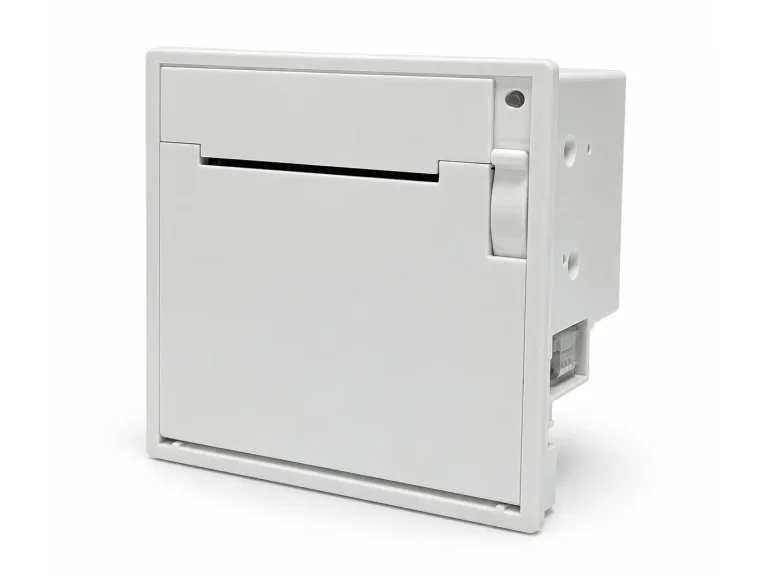
SNR-EP5804 58mm Panel Mount Thermal Printer
Compact 58mm embedded thermal panel printer with ESC/POS-compatible control, Serial/Parallel/RS-485 interfaces and 55mm embedded depth.

Panel printers are compact thermal printer modules designed for direct mounting on the front panel of kiosks, cabinets and self-service equipment. Compared with larger internal kiosk printer mechanisms, panel mount printers combine the printing mechanism, paper compartment and user-accessible paper outlet in a compact structure.
SNROKIOSK provides 58mm and 80mm panel printer solutions for kiosk manufacturers, equipment builders and system integrators in healthcare, ticketing, self-checkout, smart locker and other embedded printing applications.
The correct model should be selected according to paper width, available panel space, paper-loading method, host platform and required service access:
We provide SDK/demo software, communication resources, test tools and 3D mechanical drawings to support software integration, panel cutout design, mounting verification and prototype testing.
SDK & API Resources
·
Test Tools
·
3D Drawings
Need help selecting a panel printer?
Send us your required paper width, panel opening dimensions, host operating system, interface, paper capacity and application environment. We can recommend a suitable configuration for your equipment.
Compact 58mm embedded thermal panel printer with ESC/POS-compatible control, Serial/Parallel/RS-485 interfaces and 55mm embedded depth.
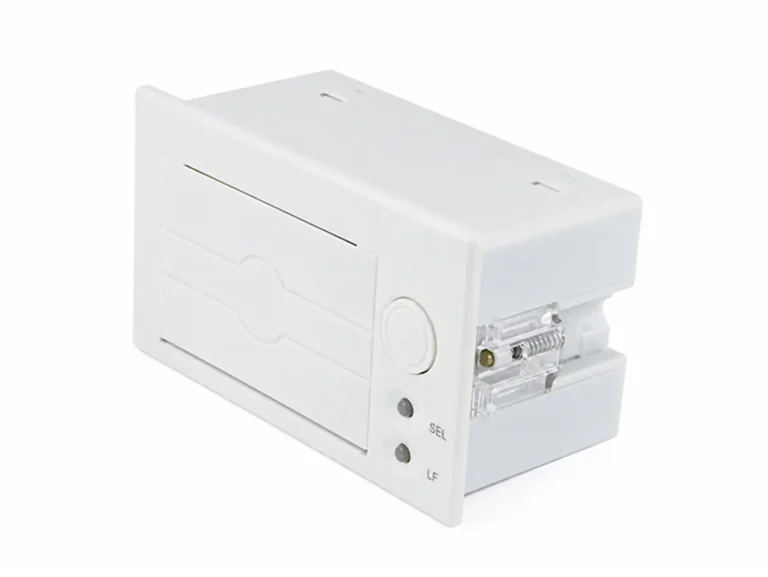
Compact 58mm embedded thermal panel printer with ESC/POS-compatible control, Serial/Parallel/RS-485 interfaces and 55mm embedded depth.
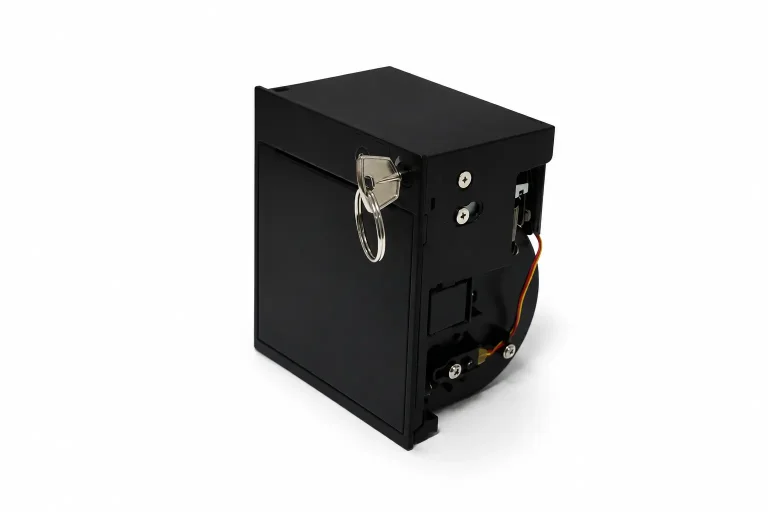
Compact 80mm/58mm panel mount thermal printer with 220mm/s printing, automatic cutter, Serial/USB interfaces and easy-loading paper design.
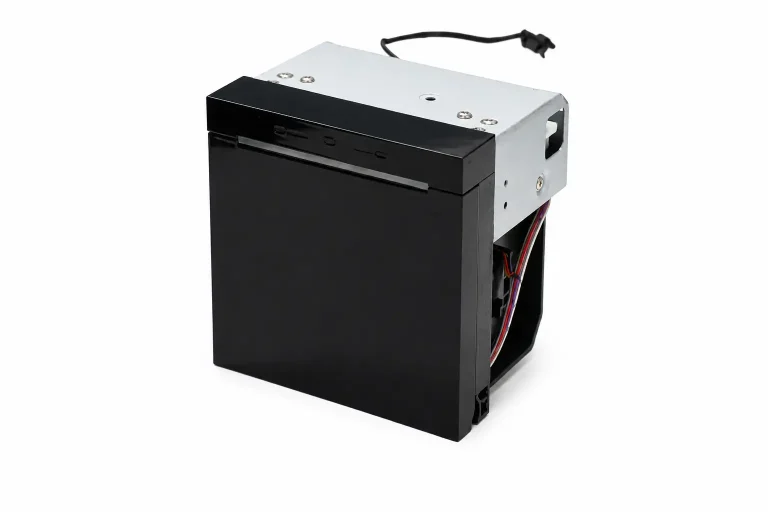
Compact 80mm/58mm thermal panel printer with 250mm/s printing, automatic cutter and Serial, USB or Ethernet interface options for embedded self-service equipment.
A panel printer becomes part of the equipment front panel, so printer selection should begin before the enclosure design is finalized. Paper width, mounting cutout, service access, paper replacement and host communication all affect whether the printer can be integrated reliably.
Confirm whether the application requires 58mm or 80mm paper. Paper width affects the printer dimensions, receipt layout and the amount of front-panel space required.
Verify the required front-panel opening, fixing points and allowable panel thickness before machining or producing the enclosure. Use the mechanical drawing for the selected printer version.
Consider how operators will replace the paper roll after installation. Front-access paper loading can simplify maintenance when the rear of the equipment is difficult to reach.
Check whether the application requires a lockable paper compartment, controlled operator access or easy opening for routine paper replacement and maintenance.
Confirm the operating system, communication interface and required printing method. Available driver, SDK and direct-control options vary by printer model and host platform.
Indoor kiosks and equipment exposed to moisture, dust or public access can require different front-panel, enclosure and protective design considerations.
Both printer types can be used in self-service equipment, but their mechanical integration is different. The correct architecture depends on the enclosure, paper capacity, document-delivery requirements and maintenance method.
A panel printer is installed directly into an opening in the equipment front panel. The paper outlet, paper compartment and user-accessible structure are integrated into a compact module.
This architecture is useful when installation simplicity, compact size and front-access paper replacement are important.
An internal kiosk printer is mounted behind the enclosure front panel. The system designer normally needs to create a separate paper outlet, bezel or paper guide between the printer and the user.
This architecture is better suited to applications requiring larger paper rolls, presenter mechanisms or more customized paper-handling structures.
Neither structure is universally better. Panel printers simplify front-panel integration, while internal kiosk printers provide greater flexibility for applications with more complex paper handling.
Compare printer categories: Kiosk Printers · Panel Printers
Mechanical planning is particularly important for a panel printer because the printer body, paper door and outlet become part of the visible equipment structure. The front-panel opening should not be designed only from the printer's overall external dimensions.
Before enclosure production, verify the cutout dimensions, fixing method, panel thickness, rear installation depth, cable routing and the clearance required to open the paper compartment. If the printer is mounted at an angle or inside a narrow cabinet, paper replacement should also be tested with the actual enclosure.
We recommend using the current 3D model and mechanical drawing for the exact printer version rather than designing the enclosure from catalogue dimensions alone.
The software integration method depends on the selected printer model, host operating system and required level of printer control. For equipment development, confirm both the physical interface and the software control method before the hardware design is finalized.
Confirm whether the host uses Windows, Linux, Android or another embedded platform. Driver and SDK availability should be checked for the selected model.
Available interfaces vary by model. Verify the required USB, serial or other communication method against the actual printer configuration.
Depending on the application, printing may be implemented through an operating-system driver, SDK or supported command-based method.
Unattended equipment should consider paper status, printer errors and recovery logic rather than treating a completed print command as the only indication of success.
Development resources: SDK & API · Test Tools · 3D Drawings
Before moving from prototype to enclosure production, verify the printer in the same mechanical and software environment that will be used in the final equipment.
Print registration slips, queue numbers, payment receipts and other patient documents from compact self-service equipment.
Healthcare Kiosk Solution →Integrate compact receipt or ticket printing into ticket machines, queue terminals and other front-panel equipment.
Ticketing Solution →Provide embedded receipt printing in retail and transaction equipment where front-panel installation and convenient paper replacement are required.
Self-Checkout Solution →Add receipt, collection slip or transaction printing to locker controllers and other compact unattended equipment.
Smart Locker Solution →A panel mount thermal printer is a compact printer designed to be installed directly into a cutout on the equipment front panel. The user-facing paper outlet and paper-access structure are integrated into the printer assembly, reducing the amount of custom paper-path hardware required in the enclosure.
A panel printer normally mounts directly on the equipment front panel and provides integrated access to the paper compartment. A kiosk printer is usually mounted inside the enclosure and may require a separate bezel, guide or presenter between the printer and the external paper outlet.
It is better to select the printer first or at least confirm its mechanical dimensions before finalizing the enclosure. The printer determines the required panel cutout, mounting points, installation depth, paper-door clearance and maintenance space.
Yes. 3D drawings and mechanical information are available for supported panel printer models to help equipment designers verify cutouts, mounting positions and installation space.
Support depends on the selected printer model and communication configuration. Confirm the host operating system before ordering so the applicable driver, SDK or communication resources can be checked for the project.
Please provide the required paper width, receipt or ticket size, available panel opening and installation depth, host operating system, communication interface, required paper capacity and expected project quantity.
More technical questions are available in our Kiosk Hardware FAQ.
Send us your paper width, panel dimensions, host platform, interface and installation requirements. We can help select an appropriate panel printer and provide the SDK, test tools and mechanical resources required for prototype integration.