
Kiosk Hardware Integration: Who Is Responsible for Hardware, SDKs and Software?
A practical guide to defining responsibilities between kiosk manufacturers, hardware suppliers, software developers and third-party providers before starting an OEM kiosk integration project.

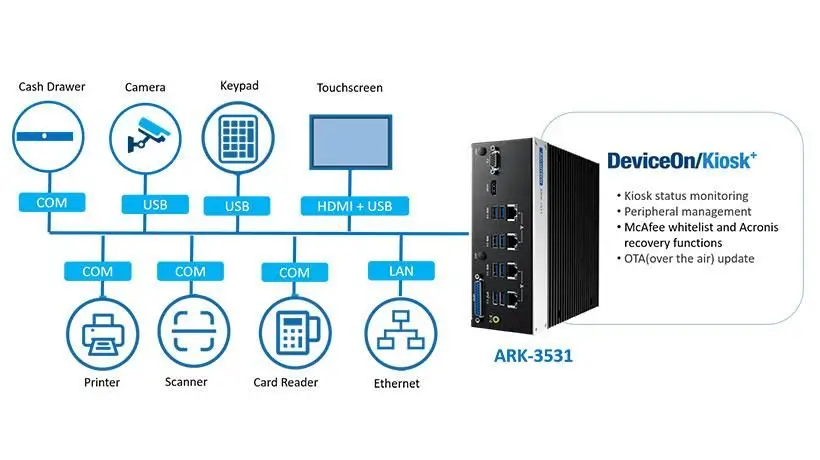
A practical project planning guide for kiosk manufacturers, OEMs and system integrators.
Kiosk integration projects rarely involve one supplier alone. A typical self-service kiosk project brings together a kiosk manufacturer, hardware suppliers, software developers, third-party device providers and the end customer.
Each party contributes a different part of the system. The kiosk manufacturer designs the enclosure and assembles the hardware. Hardware suppliers provide the required devices, technical documentation and available communication resources. Software integrators connect these devices to the kiosk application and backend systems.
However, one important question is often overlooked during the early stages of a project:
Who is responsible for making each part work together?
A printer may pass its hardware test, but the kiosk application may still fail to control it correctly. A card dispenser may communicate through RS232, but the software team still needs to implement the correct commands and transaction logic.
These are not necessarily hardware defects. They may be integration issues caused by unclear project responsibilities.
This guide explains how to divide responsibilities between the key parties in a kiosk project, what each party should deliver, and what should be confirmed before ordering a prototype.
Quick Answer: Who Is Responsible for What in a Kiosk Project?
In a typical OEM kiosk project:
- The end customer or project owner defines business requirements, approves the project scope and accepts the completed system.
- The kiosk manufacturer (OEM) handles the enclosure, mechanical design, hardware assembly and physical installation of the modules.
- The hardware supplier provides the specified hardware, product documentation, available device-level SDKs or communication protocols, and agreed hardware integration support.
- The software integrator develops the kiosk application, connects hardware resources to the application and implements the required business workflows.
- Third-party providers supply their own devices, software interfaces, technical documentation and relevant integration support.
The exact division depends on the project contract and technical architecture. Responsibilities should be documented before prototype development begins.
1. Why Kiosk Integration Responsibilities Must Be Defined Early
Kiosk integration involves more than connecting several devices to a computer.
A typical self-service terminal may include:
- Touchscreen display
- Industrial PC or host controller
- Thermal kiosk printer
- Card dispenser or card reader
- QR or barcode scanner
- ID or passport reader
- Payment terminal
- RFID encoder
- Network and communication devices
Each component may have its own interface, driver, SDK, firmware and operating requirements.
The difficulty often appears between these components rather than inside one individual device.
For example, consider a ticket vending kiosk.
The printer supplier provides a thermal printer with USB or RS232 communication. The kiosk manufacturer installs it inside the enclosure. The software integrator then needs to send ticket data, control printing and cutting, and handle the printer’s status or error responses where supported.
If the printer works correctly with its demonstration tool but not with the customer’s application, the issue may be related to software integration, command handling or the host environment.
Without a clearly agreed scope, each supplier may assume that another party is responsible.
Defining kiosk integration responsibilities early helps avoid:
- Unclear software development expectations
- Missing SDKs or technical documentation
- Mechanical design changes after prototype assembly
- Compatibility misunderstandings
- Delays during system testing
- Disputes over project acceptance
For teams that need a formal engineering reference, ISO/IEC/IEEE 24748-6:2023 provides guidance on planning and performing system and software integration processes.
2. The Five Key Parties in a Kiosk Integration Project
Before preparing a project responsibility matrix, identify all the parties involved.
2.1 End Customer or Project Owner
The end customer defines what the kiosk needs to achieve.
Typical responsibilities include:
- Defining the application and business requirements
- Providing the expected user workflow
- Confirming required hardware functions
- Identifying existing software platforms and third-party systems
- Defining project acceptance criteria
- Approving the final system configuration
For example, a hotel may require a self-check-in kiosk that verifies reservations, scans identification documents, processes payments and issues room key cards.
The hotel or project owner defines the required business process and provides access to the relevant PMS and door-lock system providers.
It should not be assumed that the hardware supplier is responsible for developing these business systems.
2.2 Kiosk Manufacturer (OEM)
The kiosk manufacturer is normally responsible for the physical terminal and its hardware assembly.
Typical responsibilities include:
- Kiosk enclosure and industrial design
- Mechanical layout and component mounting
- Display and touchscreen installation
- Industrial PC and peripheral installation
- Power distribution and cable routing
- Ventilation and thermal considerations
- Maintenance access and service panel design
- Hardware assembly and factory testing
The OEM must ensure that the selected hardware modules fit the enclosure and can be installed and maintained properly.
For customized installations, mechanical drawings and 3D models should be reviewed before finalizing the enclosure.
2.3 Hardware Module Supplier
The hardware supplier provides individual devices or hardware modules used in the kiosk.
Depending on the agreed scope and selected product, deliverables may include:
- Hardware modules and specified configurations
- Product datasheets and technical specifications
- Mechanical drawings and 3D files
- Electrical and communication interface information
- Available device-level SDKs and communication protocols
- Supported drivers and demo software
- Hardware testing and troubleshooting assistance
- Agreed customization and prototype support
For example, a card dispenser supplier provides the card-handling mechanism and the supported communication resources that allow a host application to control card movement.
A thermal printer supplier provides the printing hardware and available development resources for the supported model.
However, providing an SDK does not automatically mean the supplier is responsible for developing the customer’s complete kiosk application.
2.4 Software Developer or System Integrator
The software integrator connects the hardware with the actual kiosk application and business systems.
Typical responsibilities include:
- Kiosk application development
- User interface and transaction workflow
- SDK and communication protocol integration
- Device initialization and status handling
- Application-level error handling and recovery logic
- Database and backend communication
- Third-party API integration
- Application logging and transaction records
- Software integration testing and maintenance
For example, the software integrator may need to coordinate a card dispenser, hotel lock encoder and PMS during a room-key issuing transaction.
The hardware supplier provides the supported device-level communication resources. The software integrator implements the application logic that coordinates the complete transaction.
2.5 Third-Party Device and Platform Providers
Many kiosk projects also require equipment or software from other suppliers.
Examples include:
- Payment terminals and payment gateways
- ID and passport readers
- QR and barcode scanners
- RFID readers and encoders
- Hotel door-lock systems
- Parking barrier controllers
- Visitor management platforms
- Cloud-based management systems
Each third-party provider should supply the relevant technical documentation, API or SDK information and technical support for its own product.
The project team must also identify who is responsible for obtaining access credentials, development permissions, software licenses and integration approvals.
These responsibilities should not be left implicit.
3. Four Integration Layers That Need Clear Ownership
A useful way to organize a kiosk project is to divide the integration work into four layers.
Layer 1: Mechanical and Electrical Integration
This layer covers the physical installation of hardware.
Typical items include:
- Product dimensions and mounting holes
- Enclosure cutouts and installation brackets
- Paper and card feeding paths
- Connector locations and cable routing
- Power supply and electrical requirements
- Ventilation and thermal conditions
- Maintenance and replacement access
The kiosk OEM normally owns the enclosure and mechanical integration.
The hardware supplier provides the relevant product drawings, dimensions, interface information and agreed engineering support.
Layer 2: Device Communication and SDK
This layer defines how the host system communicates with individual devices.
Typical considerations include:
- USB, RS232 or Ethernet interfaces
- Communication protocols and command formats
- SDK libraries and API functions
- Driver availability
- Firmware versions
- Device status and error responses
- Supported host operating systems
The hardware supplier is responsible for the accuracy of the documentation and resources it provides for its own products.
The software integrator is responsible for using those resources correctly within the application.
For a better understanding of the differences between a printer driver, SDK and ESC/POS, see our Kiosk Printer Driver vs SDK vs ESC/POS Integration Guide.
Layer 3: Application and Business Workflow
This layer determines what the kiosk actually does.
Examples include:
- Guest check-in and room-key issuing
- Parking ticket validation and payment
- Visitor registration and access authorization
- Ticket selection and transaction processing
- Card issuing and account verification
The software integrator normally develops the application logic and connects the required business systems.
A hardware module performs its specified device-level functions, but it does not automatically control the complete business process.
Layer 4: System Testing and Deployment
The final layer covers integration verification and project acceptance.
It may include:
- Hardware functional testing
- Communication testing
- Mechanical installation verification
- Application integration testing
- Third-party system testing
- Exception and recovery testing
- Pilot deployment
- Site acceptance and handover
Each supplier should verify its own agreed deliverables. The software integrator coordinates end-to-end integration testing, the OEM supports physical system verification, and the project owner approves the agreed acceptance criteria.
4. Kiosk Project Responsibility Matrix (RACI)
A RACI matrix is a practical way to make responsibilities visible before development begins.
RACI stands for:
- R – Responsible: Performs the work.
- A – Accountable: Owns the final outcome and approval.
- C – Consulted: Provides technical input or advice.
- I – Informed: Receives relevant updates.
A useful RACI practice is to assign one accountable owner to each activity. See Microsoft Learn’s guide to defining roles and responsibilities.
The following is an illustrative responsibility matrix for a typical kiosk project.
| Project Activity | Customer | Kiosk OEM | Hardware Supplier | Software Integrator | Third-Party Provider |
|---|---|---|---|---|---|
| Define business requirements | A/R | C | I | C | I |
| Kiosk enclosure and mechanical design | C | A/R | C | I | C |
| Select and configure hardware modules | C | A | R | C | C |
| Provide hardware datasheets, interfaces and SDKs | I | C | A/R | C | I |
| Provide third-party device documentation and APIs | I | I | I | C | A/R |
| Develop kiosk application and UI | C | C | I | A/R | C |
| Integrate device SDKs into the application | I | C | C | A/R | C |
| Verify supplied hardware functions | I | C | A/R | C | C |
| Complete system integration testing | C | R | C | A | C |
| Approve final system acceptance | A | C | I | R | C |
Note: This matrix is a typical project allocation, not a universal contractual rule. Each company may perform multiple roles. Third-party providers are accountable for their own products and services, while the project team should define one accountable owner for each overall deliverable.
The most important point is that every deliverable needs a clearly identified owner.
For example, the hardware supplier may provide a communication protocol, but the software integrator must still implement the application interface and verify the actual device behavior.
Similarly, the kiosk OEM may install a payment terminal, but payment processing and gateway authorization normally require the appropriate payment provider and software integration.
5. What Should Be Included in a Hardware Integration Handover?
Before software development and prototype integration begin, the hardware supplier should provide the agreed technical resources required by the project.
A clear hardware handover reduces repeated questions and helps the software and mechanical teams work with the correct information.
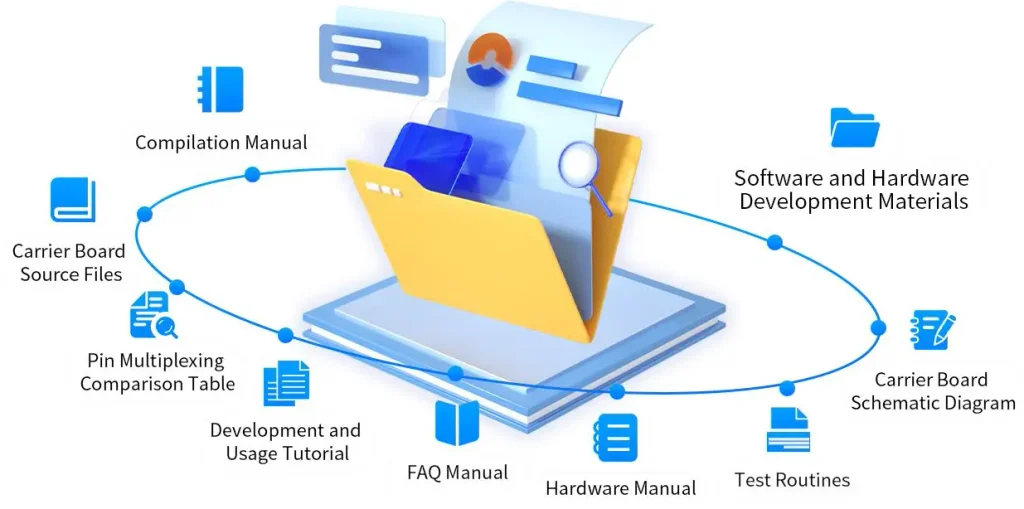
Typical handover items include:
| Deliverable | Purpose |
|---|---|
| Product Datasheet | Confirm specifications, functions and operating requirements |
| Mechanical Drawing | Support enclosure design and component mounting |
| Electrical Interface Information | Confirm power, connectors and wiring requirements |
| Communication Protocol | Define supported commands, responses and device status |
| SDK / API | Provide available software development resources |
| Driver and Demo Software | Support initial communication and hardware verification |
| Firmware Version Information | Identify the tested hardware and firmware configuration |
| Hardware Test Report | Record agreed functional test results and observations |
| Known Limitations | Clarify unsupported functions and relevant operating conditions |
Not every product has a separate SDK, driver or formal test report. The actual handover package depends on the selected model and the agreed project scope.
The software integrator should review these resources before starting application development.
If a required function is not documented or supported, it should be clarified with the hardware supplier rather than assumed to be available.
6. How Responsibilities Work in Different Kiosk Applications
The same responsibility principles apply across different self-service industries, although the hardware and software requirements change.
Hotel Self-Check-In Kiosks
A hotel project may involve:
- Hotel PMS
- Door-lock management software
- RFID encoder
- Card dispenser
- ID or passport reader
- Kiosk application
The hotel software team manages the guest journey and business workflow. The lock-system provider supplies or approves the appropriate encoder and its software interface. The card dispenser supplier provides the physical card-handling hardware and available device communication resources.
The kiosk integrator coordinates these components within the complete self-check-in application.
For a detailed hardware example, see our Hotel Key Card Encoder Integration Guide.
Parking Kiosks
Parking projects may require:
- Ticket printer
- QR or barcode scanner
- Card reader
- Payment terminal
- Industrial PC
- Parking management platform
- Barrier controller
The parking application manages parking transactions, validation and payment workflows. The kiosk OEM handles the physical installation, while hardware suppliers provide the required printing, reading and card-handling devices.
The software integrator connects these modules to the parking management platform.
See our Parking Kiosk Hardware Integration Solution for typical entry and exit configurations.
Self-Service Ticketing Kiosks
Ticketing applications typically involve:
- Touchscreen interface
- Ticketing application
- Payment system
- QR or barcode scanner
- Thermal ticket printer
- Industrial PC
The ticketing software generates ticket information and controls the transaction. The printer supplier provides the printing hardware and supported device-level control resources.
The software integrator connects the ticketing application with the printer and other peripherals.
Explore our Self-Service Ticketing Kiosk Hardware Solution for typical hardware configurations.
Visitor Management Kiosks
A visitor management kiosk may include:
- ID or passport scanner
- QR code reader
- Card dispenser
- Card reader or encoder
- Receipt or badge printer
- Industrial PC
The visitor management application handles registration and authorization. The hardware modules perform identification, card processing and printing functions according to the software commands.
The project team should clearly define who manages visitor records, access permissions and the connection to the existing access control platform.
See our Visitor Management Kiosk Hardware Solution for more information.
7. What Should Be Confirmed Before Ordering a Prototype?
Many integration problems can be identified before the first sample is assembled.
Before ordering hardware, we recommend confirming the following information with all project parties.
| Item | Information to Confirm |
|---|---|
| Application | Hotel, parking, ticketing, visitor management or another use case |
| Workflow | Main user journey and important exception scenarios |
| Hardware | Required devices, model numbers and configurations |
| Host System | Windows, Android, Linux or another platform |
| Interfaces | USB, RS232, Ethernet or other required connections |
| Mechanical Design | Enclosure drawings, mounting space and service access |
| SDK / Protocol | Available development resources and compatible versions |
| Third-Party Devices | Exact models, APIs, SDKs and supplier contacts |
| Testing | Device tests, application tests and system acceptance criteria |
| Responsibilities | Named owner for each deliverable and unresolved issue |
For the prototype stage, it is particularly important to agree on how the system will handle failures.
For example:
- What happens if a printer does not respond?
- What happens if a card dispenser reports an error?
- Who investigates a third-party API failure?
- Who approves a hardware configuration change?
- Who signs off the completed integration test?
These questions should be addressed before moving from prototype evaluation to volume production.
8. How SNROKIOSK Supports Kiosk Hardware Integration
SNROKIOSK focuses on core hardware modules and integration support for kiosk manufacturers, OEMs and system integrators.
Our hardware portfolio includes:
- Motorized card dispensers and card collectors
- Card readers and RFID-related modules
- Embedded kiosk thermal printers
- Panel mount thermal printers
- Industrial mini PCs
Depending on the selected product and project requirements, we can provide:
Hardware Configuration
Recommendations for suitable hardware modules, interfaces and configurations based on the application and installation requirements.
Mechanical Integration Resources
Available product drawings, 3D files and technical information to support enclosure design and hardware installation.
SDK and Communication Resources
Available SDKs, APIs, communication protocols, drivers and development guides for supported models.
Prototype Testing Support
Demo software and test tools for verifying hardware communication and basic device functions.
OEM/ODM Support
Hardware configuration, mechanical adaptation and agreed project-specific customization, subject to technical feasibility and project requirements.
You can access the relevant resources through our SDK & API Center, Download Center and Hardware Test Tools.
For an overview of our hardware configuration and prototype support, visit the SNROKIOSK OEM/ODM page.
An Important Scope Clarification
SNROKIOSK primarily supplies kiosk hardware and related technical integration resources.
We do not automatically include the development of the customer’s complete kiosk application, PMS software, hotel lock management software, payment backend or business workflow in a hardware supply project.
These responsibilities should remain with the customer’s software team, system integrator or the relevant third-party provider unless a separate scope has been explicitly agreed.
Our objective is to provide suitable hardware and technical resources that help the project team complete its own system integration efficiently.
Frequently Asked Questions
Does a kiosk hardware supplier need to develop the complete kiosk software?
Not necessarily. A hardware supplier normally provides hardware modules, device documentation and available SDKs or communication protocols. Complete kiosk application development is a separate software scope that should be assigned explicitly.
If a supplier provides an SDK, is it responsible for software integration?
Not automatically. The SDK provides development resources for supported hardware functions. The software integrator is normally responsible for implementing the SDK in the kiosk application and testing the application-level workflow.
Who is responsible for integrating third-party payment terminals or ID readers?
The third-party supplier provides its device documentation and supported software interface. The system integrator normally connects the device to the kiosk application, while the project owner confirms the required payment, identification or business workflow.
Can the kiosk manufacturer also act as the system integrator?
Yes. Some kiosk manufacturers have their own software development and integration teams and can handle several project roles. The important point is to define the deliverables and responsibilities rather than assume them from the company title.
What information should I send a kiosk hardware supplier for an initial evaluation?
Start with your kiosk application, required hardware functions, host operating system, communication interfaces, installation limitations, third-party devices and estimated project quantity. Mechanical drawings and actual card or paper samples are also helpful when available.
Can SNROKIOSK provide customized hardware for an OEM project?
Yes. Hardware configuration and customization can be discussed according to the selected product, technical feasibility and project requirements. The final scope should be confirmed during the technical evaluation and quotation process.
Planning a Kiosk Integration Project?
A successful kiosk project starts with a clear understanding of the application, hardware architecture and responsibilities of each project partner.
If you are developing a hotel, parking, ticketing, visitor management or another self-service kiosk, share your project requirements with SNROKIOSK.
We can help evaluate suitable hardware modules, provide available technical documentation and development resources, and support your team during hardware selection and prototype testing.
Contact SNROKIOSK to Discuss Your OEM/ODM Hardware Integration Requirements