
Self-Checkout Kiosk Integration: Payment, Receipt Printing and Transaction Recovery

A practical engineering guide for retail kiosk OEMs, POS software providers and system integrators.
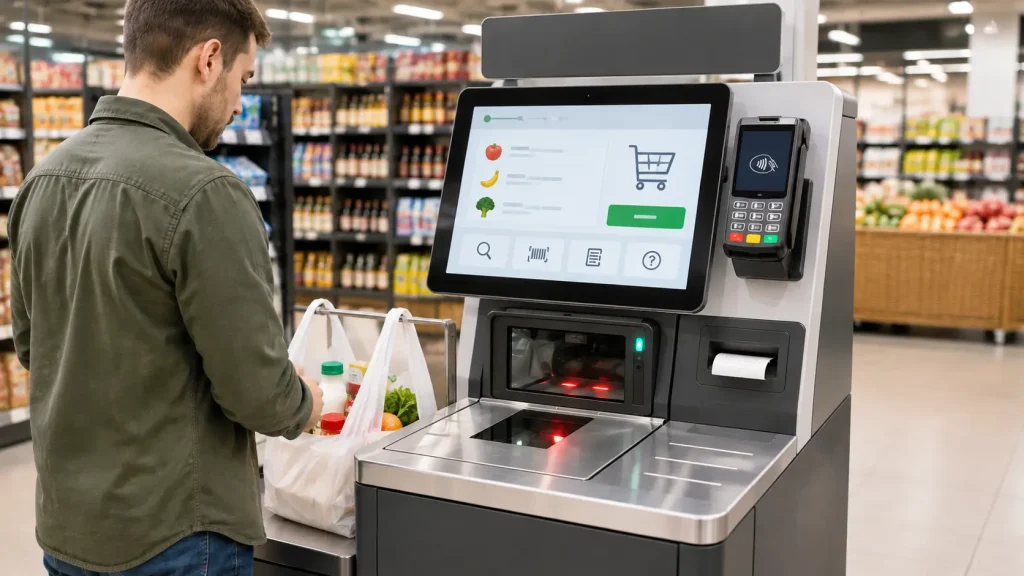
Self-checkout kiosk integration requires more than connecting a barcode scanner, payment terminal and receipt printer. A reliable retail kiosk system must coordinate payment processing, POS transaction management, receipt printing and exception recovery to ensure a consistent checkout experience.
A customer scans several products at a self-checkout kiosk, confirms the basket and completes payment. The payment terminal reports approval, but the receipt printer runs out of paper.
Has the transaction failed?
Not necessarily.
The payment may already be approved and the sale may already be recorded, even though the receipt has not been delivered.
This is one of the most important issues in self-checkout kiosk integration: different devices and software platforms report different events, and those events must not be treated as one universal success or failure status.
A reliable self-checkout system needs to coordinate product scanning, POS transaction processing, payment authorization, receipt printing and exception recovery.
This guide explains how to design that integration, define system responsibilities and test the complete checkout workflow before deployment.
Quick Answer: What Is Required for Reliable Self-Checkout Kiosk Integration?
A self-checkout kiosk typically connects five functional layers:
- Customer interface: Touchscreen and user interaction.
- Product identification: Barcode scanner and product input.
- POS application: Basket calculation, pricing, sales records and transaction management.
- Payment platform: Payment requests, authorization and transaction reconciliation.
- Receipt output: Thermal printer and available paper-handling status.
The industrial PC or kiosk host coordinates communication with the connected peripherals.
The POS application owns the retail transaction logic, while the payment provider handles the supported payment operations. The printer performs physical receipt printing.
The most important integration principle is to keep payment status, sales status and receipt status separate.
1. Understand the Complete Checkout Workflow
Before selecting hardware, define the complete customer journey.
A representative self-checkout workflow includes:
Step 1 – Product Scanning
The customer scans each product barcode. The scanner sends decoded data to the POS application.
Step 2 – Basket Validation
The application retrieves product information, calculates the purchase total and applies the required pricing rules.
Step 3 – Payment Initiation
The customer selects an available payment method. The POS application initiates the payment process through the integrated payment platform.
Step 4 – Payment Result
The payment provider returns an approval, decline or other supported transaction status.
Step 5 – Sale Recording
The POS application records the sale according to its business rules and the confirmed payment result.
Step 6 – Receipt Printing
The application sends the required receipt data to the thermal printer.
Step 7 – Checkout Completion
The application completes the customer session when the project’s defined business conditions have been satisfied.
The actual sequence depends on the POS and payment architecture. For example, some systems may finalize the sales record before requesting receipt printing, while others use additional confirmation stages.
These details should be documented during software integration.
2. Build the Hardware Architecture Around the Application
A typical self-checkout kiosk may contain:
| Hardware Component | Main Function | Integration Requirement |
|---|---|---|
| Industrial PC | Runs the kiosk application | OS, processor, memory and interfaces |
| Touchscreen | Customer interaction | Display and touch compatibility |
| Barcode Scanner | Product identification | Supported barcode formats and interface |
| Payment Terminal | Customer payment | Payment provider and POS integration |
| Thermal Receipt Printer | Prints transaction records | Paper, cutter, communication and status |
| Network Interface | Connects POS and payment services | Network reliability and recovery |
| Optional Peripherals | Additional retail functions | Confirm according to the application |
Not every kiosk needs the same hardware.
A compact convenience-store terminal may use a small embedded computer, barcode scanner, payment terminal and receipt printer.
A larger supermarket deployment may require additional peripheral devices and operator assistance functions.
The final configuration should be based on the actual checkout workflow, available installation space and software requirements.
The Role of the Kiosk Host
The industrial PC acts as the local computing platform.
It runs the kiosk application and communicates with the supported peripherals through their available interfaces, drivers, SDKs or protocols.
However, the host should not be assumed to control every business decision independently.
For example:
- The scanner captures product barcode data.
- The POS application validates products and calculates the basket.
- The payment platform processes payment.
- The printer produces the receipt.
- The POS application determines the transaction outcome.
This separation makes the system easier to troubleshoot and maintain.
3. Payment Confirmation and Receipt Printing Are Different Events
A common integration mistake is to treat successful receipt printing as a condition for payment success.
Consider this example:
- The customer scans the products.
- The POS application prepares the basket.
- The customer completes payment.
- The payment provider confirms approval.
- The POS application records the sale.
- The printer reports a paper-out condition.
The receipt has not been delivered, but the payment may already be complete.
The application must preserve the payment result and handle the printing problem separately.
| System Event | What It Means |
|---|---|
| Payment request submitted | The payment operation has been initiated |
| Payment approved | The payment platform has reported approval |
| Payment declined | The payment platform has reported a declined result |
| Payment unresolved | The final payment result is not yet known |
| Sale recorded | The POS application has recorded the sale |
| Print job submitted | The application has requested receipt printing |
| Receipt printed | The printer reports the relevant printing operation completed |
| Receipt collected | Only confirmed if the selected hardware provides suitable feedback |
| Checkout completed | The application’s defined completion conditions are satisfied |
The project team should agree on the meaning of every important event.
A printer error should not automatically change a confirmed payment into a failed payment.
Likewise, an approved payment response should not be interpreted as proof that the POS sale record was successfully finalized.
4. What Happens When Payment Succeeds but the Receipt Does Not Print?
This is one of the most important failure scenarios in an unattended checkout kiosk.
The system should first identify which operation has failed.
If payment has been confirmed, the application should preserve the original transaction reference and determine the appropriate receipt recovery process.
Possible actions include:
- Displaying a message that the payment was completed but receipt printing requires assistance.
- Checking the POS sales record.
- Checking the printer’s available status.
- Allowing a controlled reprint after the paper or printer problem is resolved.
- Recording the exception for operator follow-up.
The application should not automatically initiate another payment simply because receipt printing failed.
Does a Receipt Printer Need a Presenter?
Not every self-checkout project requires a presenter printer.
The decision depends on how the receipt should be delivered.
A basic embedded printer may be suitable when the receipt is simply printed through an accessible outlet.
A presenter-equipped printer may be appropriate when the project requires controlled paper presentation, holding or other supported paper-handling functions.
Before selecting a model, confirm:
- Receipt dimensions and paper specifications
- Required cutting behavior
- Whether paper must be held at the outlet
- Whether ticket-taking or retract feedback is required
- Available printer status information
- Mounting space and maintenance access
These capabilities vary by model and firmware. They should be confirmed using the selected printer’s current datasheet and communication documentation.
For more detailed printer selection guidance, see our Kiosk Printer Buying Guide for Self-Checkout Projects.
5. Handle Payment Timeouts Without Creating Duplicate Charges
Payment timeouts require particular attention.
A payment terminal may process a transaction successfully, but the kiosk host may fail to receive the expected response because of a network interruption.
The application now has an uncertain result.
It must not simply assume that payment failed.
A recommended recovery approach is:
- Record the original payment request and transaction reference.
- Mark the payment result as unresolved.
- Use the payment provider’s supported transaction inquiry or reconciliation mechanism.
- Determine whether the original transaction was approved, declined or remains unresolved.
- Continue only according to the confirmed result and the approved payment workflow.
- Record the final result in the POS transaction history.
Where supported by the payment provider, unique request identifiers and idempotency mechanisms can help prevent duplicate payment operations.
However, these mechanisms are provider-dependent. The system integrator must confirm their availability and exact behavior.
Payment Reversal and Refund Are Not the Same as Printer Recovery
A printer error does not automatically justify a refund.
Payment reversal, void and refund operations have their own business rules and provider-specific processes.
The POS application and payment platform should determine which operation is appropriate.
The printer should remain responsible for printing, not payment authorization or financial reconciliation.
6. Design the Receipt Printing and Recovery Workflow
The receipt printer is often the last physical device the customer interacts with during checkout.
Its selection and integration should account for three areas.
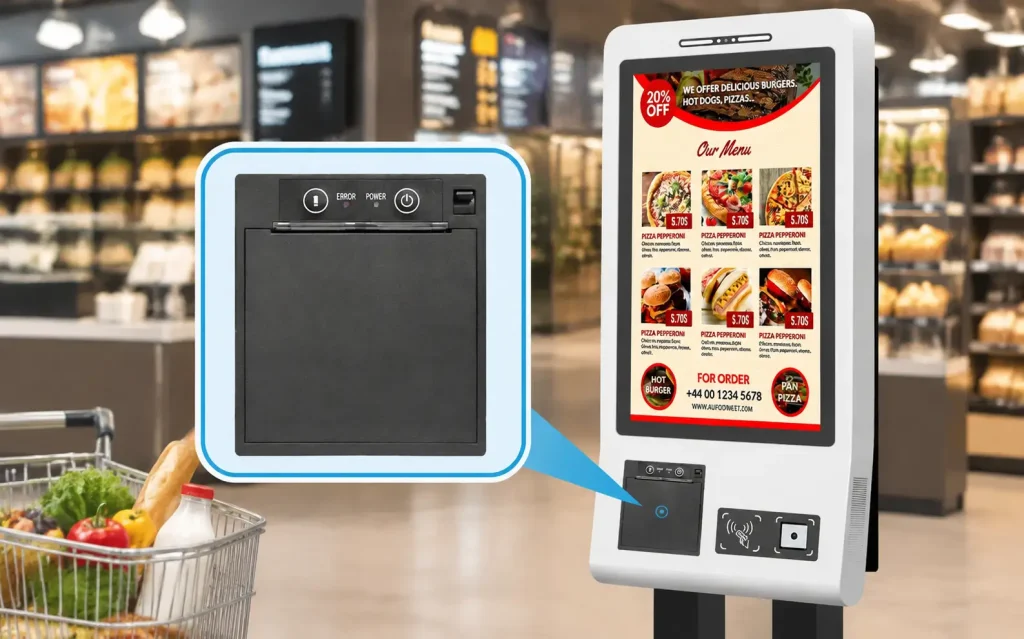
Printing Requirements
Confirm the required receipt width, layout, paper type, QR code or barcode content and expected document length.
Test with real receipt data rather than short sample text.
Mechanical Installation
Check the paper roll space, outlet alignment, mounting orientation, loading direction and service access.
The kiosk enclosure should allow paper replacement and routine maintenance without unnecessary disassembly.
Communication and Status Monitoring
Review the selected printer’s supported interface and communication protocol.
Determine which conditions can actually be detected, such as:
- Paper out
- Cover open
- Cutter error
- Communication failure
- Other model-specific status conditions
Do not assume that every printer reports paper collection, presenter position or retract status.
Those functions must be confirmed for the exact model and firmware.
7. Define the Transaction State Model
A documented state model helps the software team decide what to do when an operation is interrupted.
The following is a reference model for a self-checkout application.
| State | Meaning | Recommended Handling |
|---|---|---|
| Session Started | Customer begins checkout | Accept product input |
| Basket Ready | Products and total are prepared | Allow payment initiation |
| Payment Pending | Payment request is in progress | Wait for provider response |
| Payment Unresolved | Final result is unknown | Reconcile original transaction |
| Payment Confirmed | Approval is received | Continue POS finalization |
| Sale Recorded | POS transaction is recorded | Proceed to receipt handling |
| Receipt Processing | Print request is being handled | Monitor available printer response |
| Receipt Exception | Receipt delivery failed or is uncertain | Apply controlled recovery |
| Completed | Required business conditions are met | Close the session |
| Assistance Required | Automatic recovery is not possible | Notify operator |
The names and sequence may differ between POS platforms.
The purpose is to ensure that each stage has a clear owner and a defined recovery action.
A payment state should not be overwritten simply because the printer enters an error state.
8. Build an Exception Handling Matrix
Before prototype testing, define how the system should respond to common failures.
| Exception | Recommended System Response |
|---|---|
| Barcode cannot be read | Allow retry or approved manual input |
| Product is not recognized | Request assistance or reject the item |
| Payment declined | Display the result and offer permitted alternatives |
| Payment response timeout | Reconcile the original request before retrying |
| Printer out of paper | Preserve the transaction and request receipt recovery |
| Cutter error | Stop further printing and report maintenance needs |
| Printer communication lost | Check available printer state before repeating a job |
| Network disconnected | Apply the approved offline or assistance policy |
| Customer abandons checkout | Resolve the payment and session state according to the POS workflow |
| Kiosk restarts unexpectedly | Reconcile unfinished transactions after recovery |
| Duplicate print request | Check transaction and receipt records before reprinting |
These are system-level design recommendations, not guaranteed functions of SNROTEK peripherals.
The exact recovery logic must be agreed with the POS software provider and payment partner.
9. Clarify Hardware and Software Responsibilities
A self-checkout project normally involves multiple suppliers.
| Function | Typical Responsible Party |
|---|---|
| Product catalog and pricing | Retail POS platform |
| Basket and sales logic | POS software provider |
| Payment authorization | Payment provider |
| Payment device integration | Payment provider and system integrator |
| Barcode scanning | Selected scanner hardware and application |
| Receipt printing | Kiosk printer and host application |
| Industrial computing | Kiosk hardware supplier |
| Cabinet design and wiring | Kiosk OEM |
| End-to-end system integration | System integrator |
| Final operational acceptance | Retail project owner |
SNROKIOSK supplies kiosk-side hardware modules and available integration resources.
Depending on the selected product, these may include datasheets, mechanical drawings, drivers, SDKs, communication protocols and test tools.
Retail POS software, payment processing, financial settlement and business transaction logic are normally managed by the customer’s software and payment partners unless separately agreed.
Defining these responsibilities before development helps avoid integration delays and unclear technical ownership.
10. Factory Acceptance Testing (FAT)
Factory Acceptance Testing should validate the complete checkout workflow using the agreed hardware and software configuration.
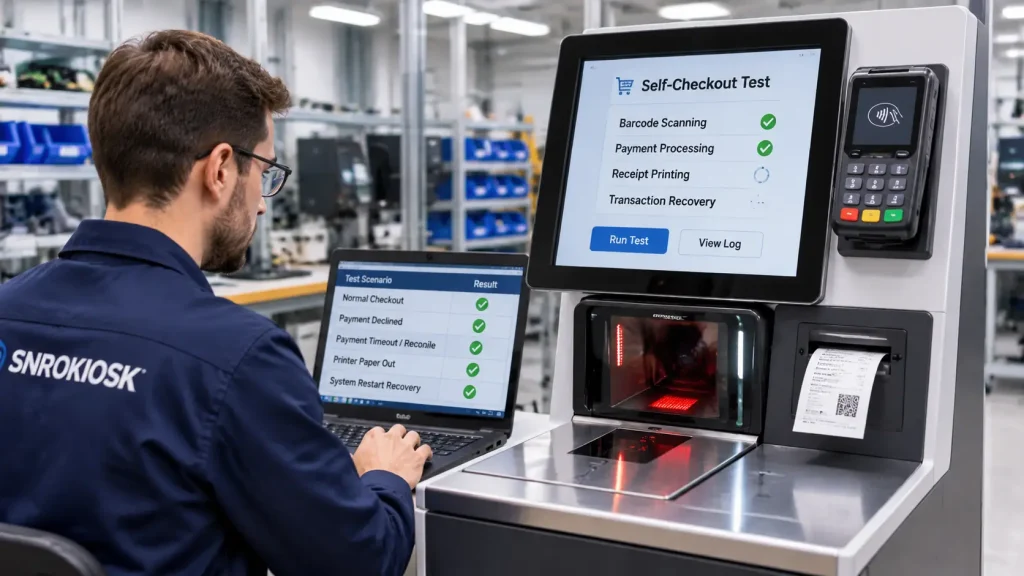
Recommended FAT scenarios include:
- Test valid and invalid product barcodes.
- Verify basket calculation and product data.
- Complete an approved payment transaction.
- Test a declined payment.
- Simulate a payment response timeout.
- Verify payment reconciliation behavior.
- Print receipts using the actual project paper.
- Simulate paper-out and cutter errors.
- Test receipt recovery after a printer fault.
- Interrupt network communication during a controlled transaction.
- Restart the kiosk and verify unfinished transaction recovery.
- Verify duplicate-payment prevention according to the payment provider’s supported controls.
- Test operator assistance and exception reporting.
Record the hardware models, firmware versions, operating system, POS software version and payment integration configuration used during testing.
A successful demonstration of one normal checkout transaction is not sufficient to approve the complete system.
11. Site Acceptance Testing (SAT)
After installation, the system should be tested in the retailer’s actual operating environment.
SAT should verify:
- Production POS connectivity
- Approved payment terminal configuration
- Real barcode formats
- Actual receipt layout and media
- Network and power conditions
- Printer paper replacement and service access
- Operator assistance workflow
- Payment reconciliation and reporting
- Agreed transaction recovery procedures
Payment testing should follow the payment provider’s approved environment and procedures.
FAT validates the prototype against the agreed requirements. SAT verifies the installed kiosk within the actual retail operation.
12. Self-Checkout Kiosk Integration Checklist
Before approving the hardware configuration, confirm the following.
Application and Transaction Workflow
- Product scanning process defined
- POS platform and host operating system confirmed
- Payment provider and terminal integration method confirmed
- Payment status and sale status separated
- Receipt delivery and reprint policy agreed
Hardware
- Industrial PC configuration reviewed
- Scanner interface and barcode requirements confirmed
- Payment terminal mechanical and interface requirements reviewed
- Printer paper, cutter and delivery requirements verified
- Power supply and mounting drawings checked
- Maintenance access approved
Software Integration
- POS and payment responsibilities assigned
- Payment transaction identifiers and reconciliation method documented
- Printer communication and available status information reviewed
- Timeout and retry behavior agreed
- Network and power recovery procedures defined
Acceptance Testing
- FAT criteria approved
- SAT criteria approved
- Normal and failed transactions tested
- Duplicate-operation risks evaluated
- Maintenance and support responsibilities documented
13. How SNROKIOSK Supports Self-Checkout Kiosk Projects
SNROKIOSK provides kiosk hardware for retail self-checkout manufacturers, OEM/ODM partners and system integrators.
Relevant hardware categories include:
- Embedded kiosk thermal printers
- Panel-mount thermal printers
- Industrial mini PCs
- Card readers and other supporting kiosk peripherals
Depending on the selected model, available technical resources may include product specifications, mechanical drawings, drivers, communication protocols, SDKs and test tools.
Our team can help evaluate hardware based on the POS host system, receipt format, communication interfaces, enclosure space and expected project quantity.
The customer’s retail POS software, payment platform and transaction management logic remain the responsibility of the appointed software and payment partners unless separately agreed.
For a broader overview of available hardware configurations, visit our Self-Checkout Kiosk Hardware Solution.
Frequently Asked Questions
What hardware is required for a self-checkout kiosk?
A typical self-checkout kiosk may include an industrial PC, touchscreen, barcode scanner, payment terminal and thermal receipt printer. Additional peripherals depend on the retail workflow and software requirements.
Does receipt printing confirm that payment was successful?
No. Receipt printing and payment authorization are separate operations. Payment confirmation must come from the payment platform, while the POS application manages the sale and receipt workflow.
What happens if payment succeeds but the receipt does not print?
The application should preserve the confirmed payment and sales information, identify the printer fault and apply an approved receipt recovery procedure. It should not automatically charge the customer again.
How can a self-checkout kiosk avoid duplicate payments?
The application should retain payment request references, reconcile uncertain results through the payment provider’s supported mechanisms and prevent a new payment request until the original result is understood.
Does every self-checkout kiosk need an 80mm printer?
No. Printer width depends on the actual receipt layout, required information, paper specifications and kiosk enclosure. The correct model should be selected using real receipt samples.
Can a self-checkout kiosk operate without a receipt printer?
Some systems can provide digital receipts or other approved alternatives. Whether this is suitable depends on retailer policy and applicable local requirements.
Does SNROKIOSK provide complete POS and payment software?
SNROKIOSK primarily supplies kiosk hardware and related integration resources. Retail POS software, payment processing and transaction management are normally provided by the customer’s software and payment partners.
Planning a Self-Checkout Kiosk Project?
A reliable self-checkout terminal requires the right combination of computing, scanning, payment and receipt-printing hardware.
If you are developing a supermarket self-checkout kiosk, convenience-store terminal or retail payment station, share your project requirements with SNROKIOSK.
To help us evaluate the configuration, please provide:
- POS host operating system
- Barcode scanner requirements
- Payment terminal model and integration interface
- Receipt width and sample receipt layout
- Printer cutter or presenter requirements
- Kiosk enclosure space and mounting method
- Estimated project quantity
Our team can help evaluate suitable kiosk hardware modules and provide available technical resources for prototype integration.